Loading Data onto a Page using JavaScript (10-23-2026) | CIS311
 Watch on YouTube →
Overview
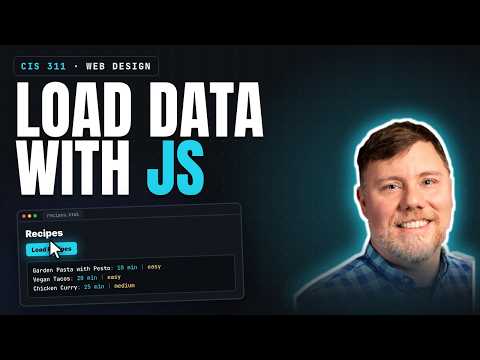
Kenan Casey demonstrates how vanilla JavaScript can load hardcoded recipe data into an HTML page, first linking `app.js` and confirming it runs when the page loads. He builds an array of three recipe objects, selects the output and button elements by ID, and uses a click event listener and template literals to display each recipe's name, prep time, and difficulty.
Key takeaways
- A `<script src>` reference loads JavaScript with the page, so top-level code runs again whenever the page is refreshed.
- A JavaScript array of objects is a useful stand-in for API data: Casey's three recipe objects each contain a name, difficulty, and prep time.
- `document.getElementById()` creates a programmatic reference to an HTML element, allowing JavaScript to update its `textContent`.
- An event listener separates page loading from user-triggered behavior: the recipe output changes only after the load button receives a click.
- A `for...of` loop and template literals can render each object's properties into text, while the same loop can be reused when the recipes come from an external API.
Chapters
- Kenan Casey links `styles.css` to the HTML, then creates `app.js` as the JavaScript file for the app.
- A temporary `alert()` confirms that the HTML loads the script correctly; refreshing the page runs the script again.
- The script is linked with a `<script src>` element, and the alert is removed once the connection is verified.
- A `const` array named `recipes` holds three objects: garden pasta with pesto, vegan tacos, and chicken curry.
- Each recipe object has `name`, `difficulty`, and `prepTime` properties, with sample prep times of 10, 20, and 25 minutes.
- The object structure resembles JSON, a common format for data returned by external APIs.
- `document.getElementById("output")` provides a JavaScript reference to the HTML element where recipe data will appear.
- Casey gives the button the ID `load-recipes-button` and retrieves it with `document.getElementById()`.
- An `addEventListener("click", ...)` handler delays changing the output until the user clicks the load button.
- The handler clears the output's `textContent`, loops through the `recipes` array, and appends each recipe's name, prep time, and difficulty.
- Template literals and `${...}` expressions insert each object's property values; the same rendering logic can later use data loaded from an API.
Transcript excerpt
0:03 Okay, we should probably go live and just see what this looks like. I know that I have not yet connected my HTML to my CSS. Uh, where's this going to load? Here we go. Is that it? Still starting. Uh, I know that this needs to happen. So, I'm going to come up here and do the link colon CSS and connect it to styles. And you see when I connect it to styles, it like changed the font and brought everything close together. So, that's working. Okay. I think I need this whole thing.
0:50 Okay. Did I put up? Yeah, here's some data here. Okay. So, now it's JavaScript time. You know what they say about JavaScript. You should always code JavaScript underwater so that no one can see your tears. Um, we're gonna call this uh script.js is a common name. App.js. I think I'm going to go with app.js to imagine that this is a whole app and this is the code that's running it. So in app.js, JS. I always like to start by creating an alert that says this is annoying. So, [clears throat] this is going to cause a little popup JavaScript popup that says this is annoying. Um, and I
1:38 like to do this to make sure that I've correctly connected my JavaScript. So, I've got this one line of JavaScript here that we're going to remove and replace. And at the bottom here, I'm going to link to the JavaScript. to link to the JavaScript. The abbreviation is script colon src, which all it does is say script src equals and you just gota this is the way you link to JavaScript. Notice as soon as I do that, it reloads my page and it does the pop-up box. Um notice that the
This is the start of the transcript. Save this video free for the whole transcript, searchable and time-coded.
Related notes
Summary, takeaways, and chapters were generated by AI from the video's transcript and may contain errors. The video belongs to its creator, Kenan Casey.