Adding an HTML Template from JavaScript (10-26-2026) | CIS311
 Watch on YouTube →
Overview
Kenan Casey demonstrates how to render recipe cards from a JavaScript array using an HTML <template>, vanilla JavaScript DOM methods, and a dedicated renderRecipes function. The workflow clones template.content, fills each card with recipe data, and appends the results to a grid, creating a structure that can later support filtering or data fetched from a server.
Key takeaways
- An HTML <template> stores reusable markup without displaying it, and template.content.cloneNode(true) creates a complete fresh card for each recipe.
- A renderRecipes(items) function can clear its target with replaceChildren(), populate cards from any array, and append them to the grid.
- Use for...of to iterate through array values when rendering objects; for...in returns keys and can cause recipe fields such as name to be undefined.
- Scope querySelector calls to each cloned card, then assign textContent, img.src, and img.alt from the current recipe object.
- The same rendering function supports search results or server-provided data by passing it a different array, without changing the card-building logic.
Chapters
- The existing recipe app starts with a hardcoded JavaScript array and a button that appends recipe text to an output element.
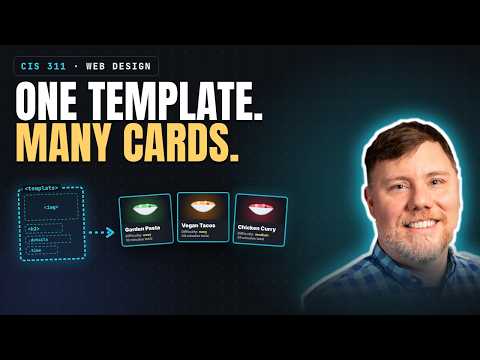
- Kenan Casey creates a <template id="recipe-template"> containing an <article class="card"> with an image, heading, and detail and time paragraphs.
- A template remains in the DOM but is not rendered, so JavaScript can copy it without showing the blank card to users.
- The image uses loading="lazy" and reserved dimensions; the script stays at the bottom of the HTML so page elements exist before JavaScript accesses them.
- The previous output area is replaced with a section identified as grid, which will hold generated recipe cards.
- The click handler calls renderRecipes and passes the recipes array, separating rendering logic from the button event.
- Passing an items array makes the same function reusable for all recipes or a filtered subset.
- The script stores references to the grid and recipe template with document.getElementById, which returns null if an ID is misspelled.
- renderRecipes clears old output with grid.replaceChildren() before creating the next set of cards.
- For each recipe, template.content.cloneNode(true) makes a fresh copy of the template and all its descendants.
- card.querySelector("h2").textContent is set to the recipe name, then grid.appendChild(card) adds the populated fragment to the page.
- A debugging mistake using for...in instead of for...of iterated array keys rather than recipe objects; changing to for...of exposed the expected data.
- The recipe details paragraph is populated with a template literal that combines recipe.prepTime with the text "minutes total."
- The time paragraph receives the recipe difficulty through a second template literal, displaying a label and the difficulty value.
- Each field is selected within the cloned card using querySelector, keeping updates scoped to the current recipe rather than the whole document.
- Kenan Casey notes that manually updating each DOM element is workable for this small app, while frameworks such as React can simplify larger interfaces.
- A Garden Pasta image is saved in an images folder, and its filename is stored as recipe data for constructing the source path.
- The cloned card's img element receives a src built from the images/ directory and the recipe image filename.
- The image alt attribute is set to recipe.name, providing a text alternative that also appears when an image fails to load.
- A fixed width and height of 300 stretched an image with different proportions, illustrating why image sizing should be controlled carefully with CSS.
- The generated cards share the card class, so CSS can target them; a border demonstrates basic styling, while the grid still needs layout rules.
- The page begins with no visible cards because the template is hidden; clicking the button clones it, fills its heading, paragraphs, and image, and inserts the cards.
- A future filter can search recipe objects for a word such as chicken, create a matching-results array, and pass that array to renderRecipes.
- Recipe data could also come from another server; once converted into JavaScript objects, it can use the same rendering function.
Transcript excerpt
0:00 Today we're going to continue this amazing recipe app. You remember last time we worked it up and were able to load a set of an array hardcoded into our code of JavaScript objects onto our page. Today I'd like to improve this in a couple ways to make it more realistic to what you're going to need to do for the naturally ideal site. Okay. So going back to our code, you remember that we developed last time we hardcoded this array of objects and we wrote this little bit of JavaScript the load button that has a click event listener that replaces the text content of our output element and
0:49 then in the for loop it edits the text content. Um it actually here appends with a plus equals. So, it's adding more and more text to this. All right. So, we're going to improve this. Um, what I want us to do first here is go back to our HTML and we're going to do this, I think, the right way. So what we want to do is have an HTML template that we've defined in HTML. So that might include a lot of structure to have the kind of recipe card that I
1:36 want to have. So, like a, you know, you might have an image at the top and an H2 and then a little paragraph that explains it and then maybe a little thing underneath that says this is a 10-minute recipe and it's an easy. All right. So, then there's lots of styling that we can do to this that I'm not going to do, but the styling is just styling in CSS. Um, so at the bottom of my HTML, but above the script because I want the script tag to be at the very end. I want
This is the start of the transcript. Save this video free for the whole transcript, searchable and time-coded.
Related notes
Summary, takeaways, and chapters were generated by AI from the video's transcript and may contain errors. The video belongs to its creator, Kenan Casey.