GitHub Pages and Semantic HTML (8-31-2026) | CIS311
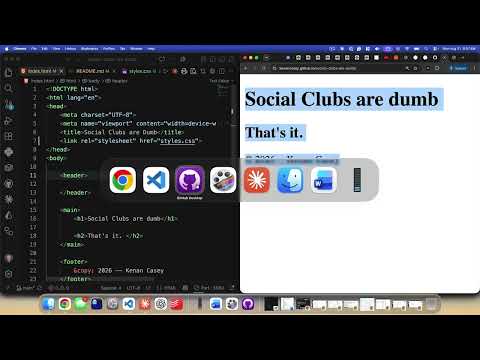 Watch on YouTube →
Overview
Kenan Casey demonstrates deploying a static HTML and CSS site with GitHub Pages, explaining how Git commits, pushes, and the main branch connect local work to a hosted site. He then teaches semantic HTML choices for landmarks, headings, links, buttons, dialogs, and data tables, and assigns a div-to-semantic-HTML conversion exercise.
Key takeaways
- A Git commit records a snapshot locally, while pushing to origin uploads that commit so GitHub Pages can deploy it.
- A GitHub Pages project site can be published from the main branch and repository root at username.github.io/repository-name.
- Choose semantic HTML based on a component's meaning: use section for thematic groupings, article for standalone content, and div for generic layout grouping.
- Use links for navigation and buttons for actions; assistive technologies such as screen readers communicate those roles differently.
- Use HTML tables for genuine two-dimensional data, structuring them with table, thead, tbody, tr, th, and td rather than layout-only div grids.
- Heading levels represent document hierarchy, not visual styling; the lesson recommends one h1 per page and styling headings with CSS.
Chapters
0:00
Create a GitHub Repository and Make the First Commit
- Creates a public repository from scratch and clones it locally using GitHub Desktop.
- Explains Git commits as snapshots in a repository, which can be used to restore earlier code or coordinate work through branches and merges.
- Adds an index.html file and a README.md; GitHub renders Markdown headings and lists as formatted project documentation.
- Commits the new page locally with a message describing the change.
6:20
Publish the Static Site with GitHub Pages
- Pushes the local commit to the remote repository named origin, distinguishing a local commit from uploading it to GitHub.
- Enables GitHub Pages in repository settings by deploying the main branch from the repository root.
- Uses the GitHub Pages URL pattern of username.github.io/repository-name for a project site.
- Adds styles.css, links it from index.html, then commits and pushes the update; deployment may take a short time to appear.
16:00
Choose Semantic HTML for Page Structure
- Recommends choosing a semantic element when a component has a clear purpose, such as header, main, footer, nav, section, or aside.
- Uses section for a thematic grouping, typically with a heading, and article for content that can stand alone, such as a blog post or news item.
- Reserves div for generic grouping needed for layout, styling, or scripting when no meaningful content role applies.
- Advises one h1 per page with subordinate headings organized hierarchically, and says heading levels should reflect structure rather than visual size.
23:00
Use Links for Navigation and Buttons for Actions
- Uses anchor elements for navigation to another location and button elements for actions performed on the page.
- Notes that a menu control and a close control should be buttons even if links could be styled to look similar.
- Explains that semantic choices help screen readers distinguish navigation from actions and improve accessibility.
- Introduces the dialog element for modal or nonmodal dialogs instead of using a generic div solely to create a dialog.
27:00
Build Data Tables with table, thead, tbody, tr, th, and td
- Uses an HTML table for two-dimensional data arranged in rows and columns, rather than nesting div elements to imitate a grid.
- Structures the example with table, thead, tbody, tr, and th elements for column headings.
- Adds schedule data with td cells, including days, office-hour times, and a location.
- Applies CSS borders and a 100% table width to style the schedule without changing its semantic structure.
33:00
Assignment: Replace Generic divs with Semantic Elements
- Assigns a single-page site built entirely from div elements and asks students to replace them with appropriate semantic HTML.
- Encourages students to identify clear replacements such as a div class="header" becoming a header element.
- Invites styling improvements while keeping the main focus on selecting elements that match each component's purpose.
Summary, takeaways, and chapters were generated by AI from the video's transcript and may contain errors. The video belongs to its creator, Kenan Casey.