Homework 1a - Flex Site Layout (8-24-2026) | CIS311
 Watch on YouTube →
Overview
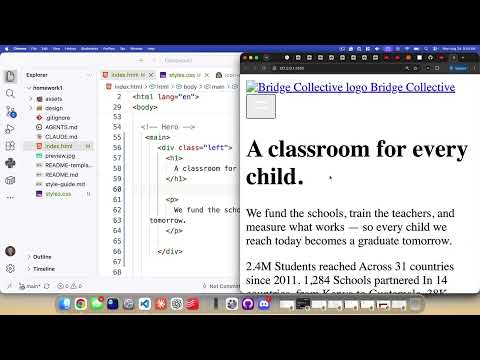
Kenan Casey builds the HTML structure and initial CSS for a responsive “Bridge Collective” hero page, emphasizing semantic elements and writing the layout by hand rather than relying on Copilot or ChatGPT. He uses Flexbox to arrange the header, main content, four statistic cards, and footer, explaining how `justify-content`, wrapping, box sizing, and flex growth support the target layout.
Key takeaways
- Turning off Copilot ghost text lets students practice HTML structure directly, which Casey treats as the learning objective rather than merely producing a finished page.
- Semantic page landmarks and controls improve the structure: use `<header>`, `<main>`, and `<footer>`, and represent the interactive hamburger control with a `<button>`.
- A vertical Flexbox page wrapper with `min-height: 100vh`, a non-growing header and footer, and a growing main section keeps the footer low when content is short.
- `justify-content: space-between` distributes extra space between flex children, while its direction follows the main axis, horizontal in a row and vertical in a column.
- Using `flex-wrap: wrap` prepares the statistic area for multiple rows; setting each of four cards to a 50% basis is the intended way to make two cards fit per row.
- Applying `box-sizing: border-box` globally makes declared widths and heights include padding and borders, simplifying layout calculations.
Chapters
0:00
Disable Copilot and Identify the Bridge Collective Hero Layout
- Casey recommends turning off VS Code Copilot ghost-text suggestions so students practice writing the HTML themselves.
- The desktop design has a header and footer, a left-side headline, and four statistic blocks on the right.
- Each statistic block pairs an icon and number with a heading and explanatory paragraph.
4:00
Build Semantic Header, Navigation, Main, and Footer Structure
- The header contains a “Bridge Collective” link and a navigation area with a hamburger menu button.
- Casey uses a `<button>` for the interactive menu control and an image referencing `assets/images/menu.svg` for its icon.
- The page content is organized into `<header>`, `<main>`, and `<footer>` elements; footer text is split into separate paragraphs.
8:30
Hide the Navigation Menu with a Linked CSS Stylesheet
- A `styles.css` file is created alongside `index.html` and linked from the HTML document.
- The menu container receives a `nav-menu` class and a `display: none` rule so its contents are hidden initially.
- Casey checks the page with Live Server and confirms the stylesheet controls the menu’s visibility.
16:00
Create Left Hero Text and Four Statistic Card Structures
- The main content is divided into generic `.left` and `.right` containers, illustrating layout-based versus content-based class names.
- The left column uses an `<h1>` for “A classroom for every child” and a paragraph for supporting text.
- Each `.stat-box` contains `.stat-top` and `.stat-bottom` sections, with an image and number above an `<h2>` and description.
- Casey demonstrates Emmet multiplication for creating four card containers and uses a comment to temporarily disable duplicated placeholder content.
22:00
Set Up a Full-Height Flex Column and CSS Reset
- A `.page` wrapper groups the header, main, and footer as three children of the body.
- Setting `.page` to `display: flex` and `flex-direction: column` establishes a vertical page layout.
- The universal `box-sizing: border-box` rule includes padding and borders within declared dimensions.
- Casey resets `html` and `body` margins and padding to zero and sets both heights to `100%` so the page can fill the viewport.
29:00
Space Header and Footer Content with Flexbox
- The header, main, and footer are set to `display: flex`; the header’s link and navigation are separated with `justify-content: space-between`.
- The footer receives the same `space-between` treatment to place its two content groups at opposite ends.
- Casey adds internal padding, adjusting toward 24 pixels vertically and 12 pixels horizontally to keep content away from the edges.
- A temporary one-pixel cornflower-blue outline makes element boundaries easier to inspect while arranging the layout.
33:00
Align Hero Content and Prepare Wrapping Statistic Cards
- The left hero container is made a flex column; `justify-content: center` centers its contents along the vertical main axis.
- The right container uses `display: flex` and `flex-wrap: wrap` so statistic cards can flow onto another row.
- Casey explains that assigning each card a 50% width or flex basis would produce two cards per row, but leaves that adjustment as further work.
- The `.page` wrapper gets `min-height: 100vh`; header and footer use `flex-grow: 0`, while main uses `flex-grow: 1` to occupy available space.
- The assignment schedule separates the Flexbox portion, due Friday, from the CSS Grid portion, due the following Monday.
Summary, takeaways, and chapters were generated by AI from the video's transcript and may contain errors. The video belongs to its creator, Kenan Casey.