Lecture 14: Functions
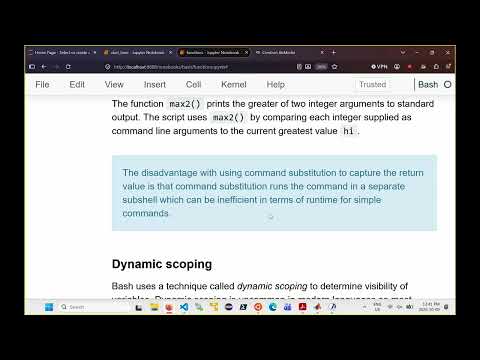 Watch on YouTube →
Overview
Burton Ma explains that Bash functions behave like commands: `return` sets an exit status from 0 to 255, while larger numbers and strings are communicated through standard output and command substitution. He demonstrates dynamic scoping, its risks for shared variables and loops, and how `local` limits variable leakage while remaining visible to called functions.
Key takeaways
- Bash `return` communicates an exit status limited to 0 through 255, not an arbitrary integer or string; print other values and capture them with command substitution.
- Command substitution runs the function in a new Bash shell, which adds overhead and means it is less efficient for simple, frequently executed operations.
- Bash's dynamic scoping lets functions read and modify variables from their calling context, so assignments can unexpectedly change script state.
- Dynamic scope can break a loop when a called function overwrites its counter, such as changing `i` to 100 inside a loop intended to run 10 iterations.
- Declaring a variable with `local` prevents it from overwriting a caller's same-named variable, but a nested function can still see that local variable.
- Functions can use variables already set by the script without explicit arguments, but explicit argument and return conventions are safer and should follow assignment requirements.
Chapters
- Bash functions act like commands: they can print to standard output and set an integer exit status.
- The `return` command stops a function and sets its status to a value from 0 to 255, making it unsuitable for returning arbitrary integers or strings.
- The `max` script uses `max_two` to print the larger of two arguments, then captures that output with command substitution.
- `is_int` uses `[[ ... =~ ... ]]` to test an integer pattern; the script validates arguments and uses `shift` to process them.
- Command substitution runs the command in a new Bash shell, adding overhead for simple functions such as `max_two`.
- Bash uses dynamic scoping: functions can access variables from the calling context rather than only variables declared inside themselves.
- A function that assigns to a variable such as `A` can overwrite a value created elsewhere in the script.
- In the example, the main script sets `A` to `hello`, and function `F` changes it to `F hello` before calling `G`.
- Function `G` sees the updated `A` and creates `B`, which remains visible after `G` and `F` return.
- Dynamic scope makes variable values depend on the function-call sequence, so tracking variables can become difficult across nested calls or scripts.
- The `remax` version stores the current maximum in `high` and has `max_two` update that variable directly.
- Because `high` is shared through dynamic scope, `remax` avoids both printed return values and command substitution.
- This approach can simplify data transfer between functions, but it relies on shared state rather than an explicit return value.
- A function that changes a loop variable `i` to 100 can make a loop intended to run 10 times stop after its first iteration.
- Declaring `local i` inside a function separates it from a same-named variable in the surrounding script.
- Bash still exposes a local variable to functions called from that function, so nested functions can see the caller's local `i` under dynamic scoping.
- A function can read variables created before it is called, so the example function `F` accesses the script variable `STR` without receiving it as an argument.
- The example uses `${#STR}` to calculate a string's length, then stores and prints the result outside the function.
- Bash offers several ways to transfer data, including `return`, command substitution, and shared variables; assignments and tests may require one specific method.
Transcript excerpt
0:02 All right, good afternoon, everyone. Um so, we were talking about bash functions uh in the previous lecture. Um just to quickly remind you, bash functions are a bit are unusual compared to the programming languages you've worked in um already. Uh so, the best way to treat a bash function is as it were just a plain old bash command. Right? And so, in other words, bash commands, they can output stuff, so they can print stuff to standard output. Um and if they don't print something Well, sorry, even if they print something, when they finish, they end up setting an exit status, which is just an integer value. Non-negative integer value. Um and so, that's true of bash commands as well. Uh sorry, bash functions as well. They don't return things like you think
0:50 of a Python function or a Java method returning something. Okay, but there is a section in the notebook called returning a value. So, what the heck's all What What is that all about? So, um you can use the return keyword in bash to return an integer value. The integer value um will always be between 0 and 255, regardless of what value you try to return from the function. So, in other words, bash does something weird with the number that you do uh that you um return, and it gets uh it's always between 0 and 255. So, this is fine if you're writing a function that needs to return a integer value between 0 and 255. Uh but if you need to return an integer value outside of that range, you can't just return the value. You have to do something else. Similarly, if
1:37 you want to return a string, you can't return a string. You have to do
This is the start of the transcript. Save this video free for the whole transcript, searchable and time-coded.
Related notes
Summary, takeaways, and chapters were generated by AI from the video's transcript and may contain errors. The video belongs to its creator, Burton Ma.