Lecture 2: Very brief history of Linux; Filesystem
 Watch on YouTube →
Overview
Linux is the kernel at the center of GNU/Linux: Linus Torvalds developed it for 80386 processors in 1991, combining it with tools created by Richard Stallman’s GNU project. Burton Ma connects Unix’s history and Linux’s widespread use to practical command-line concepts, then explains how Unix-like systems organize files through devices, inodes, directories, links, and a hierarchical filesystem navigated with Bash.
Key takeaways
- GNU/Linux combines Linus Torvalds’s 1991 kernel for 80386 processors with development tools from Richard Stallman’s GNU project; Linux names the kernel, not the entire operating system.
- Unix’s C implementation helped it become portable, and Linux now underpins services and devices including cloud infrastructure, supercomputers, Android, embedded systems, and ChromeOS.
- In Unix, an inode stores a file’s metadata and data location but not its name; directories map filenames to inode numbers, and hard links let multiple names point to the same file.
- Unix-like systems organize files in one tree rooted at `/`; absolute paths begin there, while relative paths begin at the current working directory.
- Bash built-ins such as `cd` are handled by the shell itself, while commands such as `ls` run as programs; use `help` for built-ins and `man` for external commands.
- For Bash navigation, `.` means the current directory, `..` means its parent, `~` means the home directory, and `./hello.sh` explicitly runs a script in the current directory.
Chapters
- The opening console Pac-Man example redraws the screen and moves characters despite the terminal’s line-oriented design.
- Linux refers specifically to the kernel, the operating-system component that communicates with hardware; GNU supplies many surrounding tools.
- Unix development began at Bell Labs in the 1960s and 1970s, when computers could occupy a room and were too expensive for most individuals.
- Writing much of Unix in C helped make it portable across different computer hardware.
- Richard Stallman began the GNU project in the 1980s to create a free Unix-like operating system, including a compiler and software-development tools.
- In 1991, Linus Torvalds wrote a kernel for 80386 processors; GNU’s tools and the Linux kernel were combined as GNU/Linux while GNU’s planned Hurd kernel remained unfinished.
- Linux is common in cloud infrastructure, supercomputers, Android, embedded devices, and ChromeOS, even though desktop Linux use is comparatively uncommon.
- POSIX defines compatibility expectations for operating systems; Linux is close to POSIX-compliant, while macOS is Unix-based and POSIX-compliant.
- Punch-card programs were submitted to computer operators for processing, so programmers might wait until the next day to discover an error.
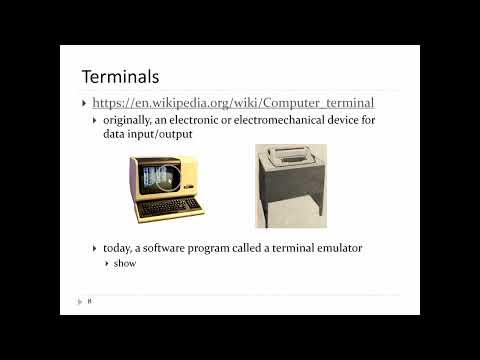
- A terminal provides keyboard-and-screen interaction, while a shell interprets the text entered there and runs commands.
- The course uses Bash, the “Bourne Again Shell”; macOS switched its default shell from Bash to Zsh in 2019, so shell differences can affect assignments.
- Unix represents devices such as disk drives and USB sticks with device special files that provide an interface to device drivers and treat information as byte streams.
- An inode stores file metadata such as device, type, owner, size, timestamps, and data location, but it does not store the filename.
- A directory is a special file mapping filenames to inode numbers; inode numbers are unique per device, not necessarily across devices.
- A hard link is a directory entry mapping a name to an inode, so multiple names can refer to the same underlying file and its contents.
- The Unix-like Filesystem Hierarchy Standard describes a single tree rooted at `/`; a leading slash marks the root, while later slashes separate path components.
- The root directory contains locations such as `/bin` for essential command programs and `/home` for users’ home directories.
- The commands `cd /`, `pwd`, and `ls` demonstrate changing to the root, printing the working directory, and listing its contents.
- Bash handles built-ins such as `cd` and `pwd` itself, while commands such as `ls` run as separate programs located in the filesystem.
- Use `help cd` or `help` for Bash built-ins, and `man ls` for an external command’s manual page.
- The `man` pager displays documentation page by page: Space moves forward, `b` moves backward, and `q` exits.
- An absolute path starts at `/`, such as `/bin/ls`; a relative path is interpreted from the current working directory, such as `bash` or `file-system`.
- The path component `.` represents the current directory, and `..` represents its parent, allowing navigation without typing a long absolute path.
- Commands such as `ls` accept either absolute or relative paths, so users can inspect another directory without first changing into it.
- Running `cd` with no argument or using `cd ~` takes the shell to the user’s home directory.
- The command `cd .` stays in the current directory, while `cd ..` moves to its parent; both components can also appear inside longer paths.
- A script in the current directory can be run with an explicit relative path such as `./hello.sh`, rather than by typing `hello.sh` alone.
- The command `cd -` returns to the previous directory and prints that directory’s path.
Transcript excerpt
0:00 All right, everybody. Good afternoon. Uh so just before we start today's lecture uh another silly example of what you can do in the console, you can play Pac-Man. So here's Pac-Man with C's ands for the ghosts. Um if you want to, you can install this with the instructions shown on the uh lecture slide here on the next slide here. Um, the fact that that works in the
0:48 console is pretty amazing because the console is really designed for you to type in one line of code, one line of text, then press enter. Um, so the fact that you can redraw the screen and have stuff moving around, it's pretty uh is actually fairly impressive. Okay, so today's lecture is to uh very briefly talk about the history of Linux um and Unix uh and then probably start to talk about the file system. All right. So, Linux is uh this thing that we call Linux is actually what's called the kernel of the GNU Linux operating system. So, the kernel is the part of the operating system that talks to the hardware. All of the tools that surround the kernel, so all of the command line tools that I've shown you um that are also part of the operating system, those are not part of the kernel. Uh and so, uh the Linux part, that's the kernel. all
1:37 of the stuff surrounding the all the software tools surrounding it um that comes from uh this found this uh organization called GNU. Uh so Linux is actually modeled on something called the Unix kernel. Uh the Unix kernel still exists uh still exists today but most of you probably will not have seen it u and in most programmers probably uh do not currently interact with it. Um so if you click that link
This is the start of the transcript. Save this video free for the whole transcript, searchable and time-coded.
Related notes
Summary, takeaways, and chapters were generated by AI from the video's transcript and may contain errors. The video belongs to its creator, Burton Ma.