Fetching Multiple Product Carousels from a JSON API (11-9-2026) | CIS311
Overview
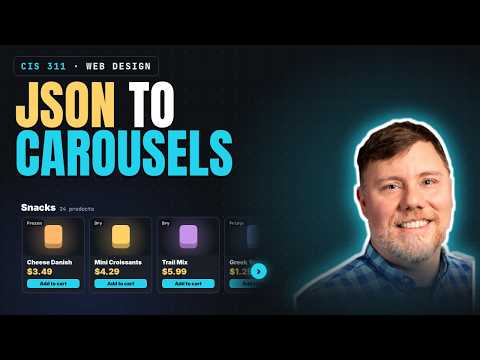
Kenan Casey builds multiple product carousels in vanilla JavaScript by fetching a JSON product catalog, grouping products into category shelves, and rendering cards from HTML templates. The demo covers async/await and JSON parsing, data normalization and error handling, a 20-product-per-shelf limit, and carousel buttons that scroll by 90% of the track width.
Key takeaways
- A JSON catalog can drive multiple category carousels by filtering the product array once for each configured category and rendering only matching items.
- The Fetch API workflow requires two awaited operations: fetch the response, then await response.json() to obtain the parsed data rather than a Promise.
- Normalizing incoming data before rendering helps prevent display and calculation problems, such as extra whitespace in names and prices stored as strings.
- HTML template cloning separates card and shelf structure from JavaScript data mapping, making it practical to generate many repeated DOM elements.
- Limiting shelves to 20 displayed products controls page rendering while still allowing a count label to communicate the full category size.
- Scrolling a carousel by 90% of its track width and disabling arrows at the start and end provides predictable paging without allowing navigation past the content.
Chapters
- Kenan Casey points to Amazon and Walmart as examples of retailers stacking horizontal product carousels by category.
- Showing four or five products at once supports browsing without requiring users to click into a category.
- Touch users can scroll horizontally, while desktop users can use carousel buttons.
- The product data is a JSON array of objects with fields such as product ID, name, category, price, and image URL.
- Product image URLs point to images hosted on AWS S3, so the demo can display them without downloading them locally.
- The HTML provides separate templates for category shelves and product cards, with JavaScript cloning each as needed.
- Each card template includes image, storage type, package details, price, date, and an add-to-cart button.
- The script uses querySelector to reference the shelves container, status element, shelf template, and card template.
- Configured category names must match the category strings in the JSON data; some products store multiple categories in a single string separated by a bar.
- Each shelf is capped at 20 displayed products to limit how much data the page renders.
- A 1,500-millisecond delay simulates network latency so users can see the loading state.
- The async loadShelves function starts the loading state, fetches the catalog from the local server, and then builds the shelves.
- Fetching involves awaiting fetch(API_URL) and then separately awaiting response.json() to parse the response body.
- The response is checked to confirm it is successful and that the parsed data is an array.
- Kenan Casey explains that await pauses the function until each network or parsing promise resolves.
- A normalize function trims extra spaces from product names and categories and converts string prices into floating-point numbers.
- The initial validation error came from checking a promise instead of the parsed product array.
- The fix was to await response.json(); without await, the variable held a Promise rather than its resolved JSON data.
- The loader uses error handling to detect invalid responses and prevent malformed data from flowing into rendering.
- The script filters the product array for each configured category and skips categories with no matching products.
- It limits each category's displayed cards to 20 while showing a count such as 20 of 245 items.
- makeCard clones the card template and maps product fields into image sources, alt text, storage labels, package details, and links.
- Missing image URLs or storage values are handled, and the card setup includes an image-error fallback and accessibility information.
- makeShelf clones the shelf template, fills in the category and item count, and appends the generated cards to the carousel track.
- Previous and next button click handlers call a paging function with a direction of minus one or plus one.
- Each click scrolls the track by 90% of its width, with a CSS transition creating the animated carousel movement.
- Carousel state disables the previous button at the beginning and the next button at the end of the track.
Transcript excerpt
0:00 All right. So, this is a very complete and complex demo of a pattern that I see coming up all the time on big e-commerce sites. And the pattern that I noticed was Amazon, Walmart, like you name it. Um, this really common motif seemed to be horizontal carousel with the buttons that scroll. Um, I don't Hang on. Here's another example of it. Here's another example. Yeah. Um, and in fact, see, I'm not signed in on this tab, but if I were to go to a particular thing like Amazon
0:49 home, I felt like I what I noticed were there was just rows and rows of this same pattern. You see that? So, I see why I think this is this works well from a usability standpoint because um you get to kind of put your categories horizontally and you've presented the user with four or five really nice options that they can see without doing any clicks and they can click on a button to scroll or if you're on a touch device it's very natural to just horizontally scroll with your finger. Um, and if you want to see some other options, like if I'm ready to see if I'm done with winter decor, I can come down here to shop by category and then keep scrolling down to featured
1:36 deals. And I do think that there is less friction in a scroll. Um, this is mental friction, not physical friction. But, uh, there's less friction mentally in a scroll than there is in a click. Scrolling doesn't really make me choose. I feel like it's a it's a like brain numbingly simple interaction. And so we're letting the users browse without having to click and make any choices is my off the top of my head thought as
This is the start of the transcript. Save this video free for the whole transcript, searchable and time-coded.
In this course
Related notes
Summary, takeaways, and chapters were generated by AI from the video's transcript and may contain errors. The video belongs to its creator, Kenan Casey.