CE351 lec9 Timer and counter basics
 Watch on YouTube →
Overview
Yiyan Li introduces timer and counter fundamentals for an 8-bit microcontroller, connecting accurate speaker tones to timer-controlled digital pin toggling. The lecture explains note frequencies and periods, timer widths and prescalers, and how to use registers such as TCCR1B, TIFR1, and TCNT1H/TCNT1L to configure timing and calculate overflow delays at a 16 MHz clock.
Key takeaways
- A4 is 440 Hz, and multiplying by approximately 1.059 for each semitone produces the frequency of the next note in the 12-step octave scale.
- To synthesize a tone with a timer, toggle the output pin once per half-period, since two toggles form one complete waveform cycle.
- Timer0 and Timer2 are 8-bit counters, while Timer1, Timer3, Timer4, and Timer5 are 16-bit counters; their maximum counts are 255 and 65,535 respectively.
- A prescaler divides the 16 MHz timer clock to slow counting, extending the time before overflow and supporting longer delays.
- TIFR1's TOV1 flag signals Timer1 overflow and uses write-one-to-clear behavior: software clears the flag by writing 1 to it.
- For a timer preloaded with value N, the counts remaining until overflow are 65,536 minus N; divide that count by the prescaled clock rate to obtain the delay.
Chapters
- Yiyan Li previews tutorial two and an upcoming quiz on C programming, emphasizing complete, runnable IDE code rather than pseudocode.
- An octave contains 12 semitone steps; each step raises frequency by approximately 1.059, the ratio used to derive neighboring notes.
- Starting from A4 at 440 Hz, successive note frequencies can be calculated by repeatedly multiplying by 1.059.
- A note's period is calculated as 1 divided by its frequency; multiply by 1,000 to express the result in milliseconds.
- The half-period is the full period divided by two and determines how often a digital output must toggle to create the desired tone.
- Higher keyboard octaves have higher frequencies and therefore shorter periods.
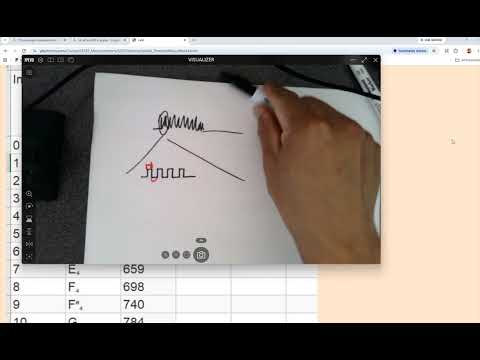
- A microcontroller can create a tone by starting a timer, toggling a digital output when the timer expires, and repeating the process.
- Each toggle takes half a waveform period, so the timer interval must match the note's half-period for the output to reproduce its frequency.
- Explicit timer control avoids uncertainty about which hardware timer a general-purpose delay function uses.
- The datasheet identifies six timers: Timer0 and Timer2 are 8-bit, while Timer1, Timer3, Timer4, and Timer5 are 16-bit.
- An 8-bit counter ranges from 0 to 255; a 16-bit counter ranges from 0 to 65,535, allowing more counts before overflow.
- The timer clock is 16 MHz before prescaling, and a prescaler such as 8 reduces the count rate to 2 MHz for longer timing intervals.
- The three lowest bits of TCCR1B, CS12, CS11, and CS10, select Timer1's clock prescaler.
- TIFR1 contains the Timer1 overflow flag, TOV1, which indicates that the counter has reached its maximum and rolled over.
- TOV1 is cleared by writing a 1 to the flag bit, a write-one-to-clear behavior rather than clearing it by writing 0.
- Timer1's count is stored across two 8-bit registers, TCNT1H and TCNT1L, because the microcontroller's registers are 8 bits wide.
- The least significant bit of the high byte has a value of 256 in the combined 16-bit count.
- Starting from zero, Timer1 needs 2^16 counts to overflow; at a 16 MHz clock with a 1:1 prescaler, the delay is 65,536 divided by 16,000,000 seconds.
- A preloaded 16-bit counter needs only the remaining counts before 65,536 to overflow.
- For an initial value of 0x80AB, the remaining count is 0x10000 minus 0x80AB.
- Divide the remaining count by the timer's count rate, 16 MHz with a 1:1 prescaler, to calculate the overflow delay in seconds.
Transcript excerpt
0:11 All right, so this week we'll do tutorial two. This and next week. So, hopefully you can get everything done before Wednesday next week. So, you will start uh handling interrupts, which is the most important topic for using micro horse. That'll be next Friday, okay? And So, the bad news is that today there's a quiz, okay? Good news is this Friday. Weekends. You actually can can can have some break. Um There's a quiz on C programming. I hope you guys already studied the in-class number one. Hopefully, yeah. And I'll make sure that you guys have enough time to work on it. So, make sure that when you write on the paper, you have a a complete code that can run on IDE instead of just
1:00 the pseudo code. Okay. So, you should have an in-class, right? As I put on the desk. And so, today's topic, if you click uh you don't have a laptop you don't have have a laptop. So, I'm just going to show you here. Uh so, in this tutorial you can see it pretty much explains itself. Uh you don't really need to be a a musician you don't have to understand what's going on since I'm not a musician as well. Um so, so basically there's one idea that I think it's good for everyone to know. Do you know if you play music? No? Yeah? A little bit? So, do you understand the semi-tone tone?
1:47 All these kind of things. Um So, the whoever designed the piano, they used the natural uh frequencies of the sound and they divided them into these different uh steps. So, for piano is basically all the 80-something keys are divided into several octaves, and every octave has um 12 different steps or different tones,
This is the start of the transcript. Save this video free for the whole transcript, searchable and time-coded.
Related notes
Summary, takeaways, and chapters were generated by AI from the video's transcript and may contain errors. The video belongs to its creator, Yiyan Li.