Stats 21 - Lecture 13 - Pandas DataFrame basics
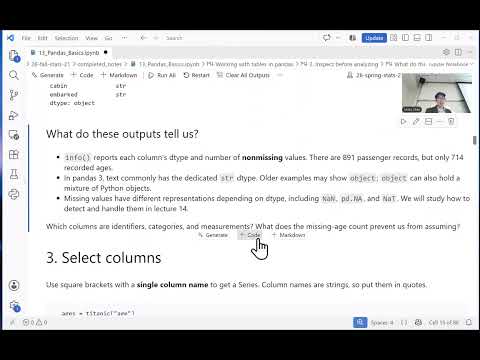 Watch on YouTube →
Overview
Miles Chen introduces Pandas DataFrames as labeled, two-dimensional tables built from one-dimensional Series, using the 891-row Titanic dataset and a small Avengers example. He demonstrates importing and inspecting data, selecting with brackets and .loc/.iloc, filtering and sorting rows, creating columns, and handling label alignment, mutation, NumPy conversion, and numeric summaries.
Key takeaways
- In Pandas, selecting one column as df['column'] returns a Series, while df[['column']] returns a two-dimensional DataFrame with one column.
- .loc uses row and column labels, whereas .iloc uses zero-based positions; for labels 1, 2, and 3, .loc[1, 'score'] and .iloc[1, 0] select different rows.
- Boolean filtering with multiple conditions requires parentheses around each condition when combining them with & or |; .isin() simplifies checking one column against several allowed values.
- Sorting with .sort_values() produces a reordered result but does not mutate the original DataFrame unless that result is assigned back.
- Pandas aligns a Series assigned to a DataFrame by index labels, not by the Series' displayed order, so matching labels is essential.
- Missing ages fail comparisons such as age >= 18 and are excluded from the filtered result, but that exclusion does not mean those passengers were children.
Chapters
- Pandas provides two-dimensional DataFrames with rows and columns that can use different data types.
- Each DataFrame column is a one-dimensional Series with labels, often storing values in NumPy arrays.
- Pandas is imported with the conventional alias pd; the course uses pandas 3.0.1.
- pd.read_csv loads the Titanic CSV, which has 891 records and 12 columns.
- DataFrame methods and attributes such as .head(), .shape, .columns, and .index reveal sample rows, dimensions, column names, and row labels.
- .info() reports non-null counts and data types; missing ages make the age column floating point, while Pandas 3 uses a string dtype for text.
- Selecting Titanic's age with titanic['Age'] returns a one-dimensional Series of length 891.
- Selecting columns with a list, such as titanic[['Name', 'Age', 'Fare']], returns a DataFrame and preserves row indexes.
- A one-item list still returns a DataFrame with shape 891 by 1, unlike selecting the column name alone.
- A DataFrame can be constructed from a dictionary whose keys are column names and whose value lists have equal lengths; the Avengers example uses character names as row labels.
- .loc selects using row and column labels, while .iloc selects by zero-based position.
- In the score example with labels 1, 2, and 3, df.loc[1, 'score'] returns 50, while df.iloc[1, 0] returns 60.
- A condition such as titanic['Pclass'] == 1 creates a Boolean Series that can be passed to .loc to select first-class passengers.
- Combine multiple conditions with & or |, placing each condition in parentheses; .isin() is a concise option for membership checks such as passenger classes 1 or 2.
- Age comparisons exclude missing ages, but an unknown age does not establish that a passenger was under 18.
- Assigning a new column can calculate relatives aboard by adding siblings and spouses to parents and children, then create a Boolean no-recorded-relatives column.
- DataFrames are mutable: assigning through the DataFrame adds columns or updates values, as shown when Thor's age is changed in the Avengers table.
- .sort_values() returns a sorted result without changing the original DataFrame; it supports descending order and multiple sort keys, such as fare followed by passenger ID.
- The challenge combines Titanic conditions for third class, survival, and zero recorded relatives, then selects relevant columns and sorts by fare descending.
- Use parentheses around each Boolean condition and the exact column name, such as 'PassengerId', to avoid syntax and naming errors.
- Pandas operations such as .loc, .sort_values(), and .head() can be chained; the example reports 69 passengers matching the selected criteria before identifying the highest fares.
- String methods can filter text columns, for example searching passenger names for the substring 'Williams'; regular expressions are also supported.
- .loc slices by labels and includes both endpoints, while .iloc follows positional slicing and excludes the ending position.
- When assigning a Series with labels in a different order, Pandas aligns values by row labels rather than by their current positions.
- Changing a selected Series does not necessarily update its source DataFrame; assign directly to the DataFrame when the original table must change.
- Converting a mixed-type Avengers row to a NumPy array produces an object array, and the resulting array may be read-only.
- .describe() summarizes numeric columns with statistics such as count, mean, and standard deviation while excluding missing values.
Transcript excerpt
0:02 Okay. All right. Well, uh happy Monday and uh thank you for joining me and being here. I forgot my microphone, so I'm going to just have to talk and use my teacher voice and hopefully that's good enough. All right. Um so, we are taking uh a slight detour from base Python and kind of these programming aspects and the different data types and we are now looking at um you know, doing data science and data wrangling and data analysis within Python. And so, uh for that we had to introduce NumPy, which is um
0:51 which gave us the array. And uh and that's an important uh data structure that uh that we will use. And today we are going to uh introduce Pandas, okay? And so, Pandas is um uh the the package or module that allows us to use data frames, okay? So, data frames are basically tables, tables of data. You're familiar with the data frame in R and Pandas implements uh its own type of thing and um and so, yeah, we get these two-dimensional things. We got rows and columns. And the columns
1:38 can have different data types, okay? Uh and then Pandas uh structures each column as what we call a series, okay? A series um is uh basically a one-dimensional object with labels and a data type. And a series often uses NumPy arrays to store its values, okay? All right. So, anyway, uh we are going to um import pandas. And uh we import it as pd, okay? And I believe the version that I put in the requirements file is pandas 3.0, 3.0.1.
2:30 Um and so, there's a So, if you read um other pandas documentation and tutorials and stuff, they might refer to a slightly older version of pandas where,
This is the start of the transcript. Save this video free for the whole transcript, searchable and time-coded.
Related notes
Summary, takeaways, and chapters were generated by AI from the video's transcript and may contain errors. The video belongs to its creator, Miles Chen.