Lecture 21: Pig
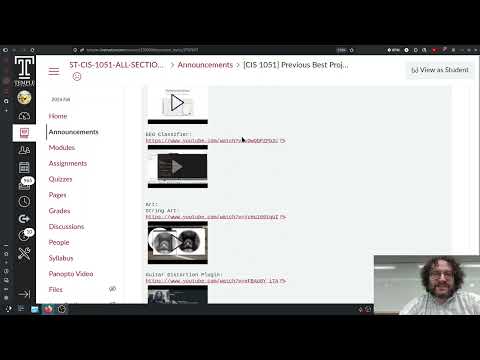 Watch on YouTube →
Overview
Andrew Rosen turns the Pig dice game into a step-by-step Python programming exercise, building a turn simulator, Monte Carlo experiments, and a single-player game that compares hold thresholds. Simulations of up to 100,000 games suggest holding around 19 or 20 points minimizes average game length, while the lecture also explains how to manage a public GitHub project repository and complete the final-project proposal process.
Key takeaways
- Under the hold-at-20 policy, a single Pig turn scores zero roughly 62% of the time, because rolling a one erases the turn total.
- Simulations of 100,000 complete games suggest that holding at about 19 or 20 points minimizes average game length; the estimated difference between nearby thresholds is small and subject to random variation.
- Adding the current score to the turn-ending condition prevents unnecessary rolls once a player can reach 100 points, such as stopping at a score of 90 after earning 13 turn points.
- A Monte Carlo analysis can compare strategies by counting simulated outcomes and averaging turn counts, without requiring a full analytical probability derivation.
- GitHub Desktop supports a practical student workflow: clone a public repository, edit files locally, commit snapshots, and push changes for review or collaboration.
Chapters
- Andrew Rosen converts an assignment into an in-class exercise to ease the overlap of homework, exam preparation, and the final project.
- Students submit a link to a GitHub repository for their pre-proposal and proposal, with GitHub Desktop offered as a simpler workflow than command-line Git.
- Rosen adds a separate proposal-day grade and five points of final-project credit for meeting with him to check off an idea.
- Proposal meetings take place in Zoom breakout rooms and usually require only a few minutes; students may leave after their meeting.
- Students should explain their idea, identify any group partners, and attend even if they need help choosing a project or want Rosen to assign a default project.
- Students who miss proposal day must arrange a Zoom or office-hours meeting; Rosen says email alone will not substitute for the meeting.
- The progress report is due November 30 and the final project December 7; students who never meet by the progress-report deadline risk failing the project.
- Students can find prior student presentations and examples through Canvas announcements titled "previous best projects."
- Final projects are worth 140 points, or 10% of the course grade, and Rosen says students commonly earn about 130 points.
- Project repositories should be public so Rosen can review them without managing access to roughly 150 separate private repositories.
- Students with two possible project ideas can discuss whether to choose one or combine elements of both.
- Pig is a two-player dice game: players try to reach 100 points, banking a turn's points by holding or losing the turn total if they roll a one.
- Rosen demonstrates creating a public GitHub repository, cloning it with GitHub Desktop, and copying a proposal file into the local project folder.
- A Git commit records a snapshot of project files, and pushing uploads that snapshot so collaborators or other computers can retrieve it.
- The proposal example describes an initial project idea involving statistical analysis of the game Pig.
- The assignment progresses from simulating one turn to analyzing outcomes, accounting for a player's score, simulating a full game, and measuring game length.
- The first strategy is "hold at 20": keep rolling until a one appears or the turn total reaches at least 20.
- A hold threshold is the computer's policy, not a choice the simulated player makes during each roll.
- Rosen imports Python's random module and defines a roll function using random.randint(1, 6), whose endpoints are inclusive.
- The pig_turn function initializes turn_total to zero and rolls while the total is below 20 and no one has been rolled.
- Rolling a one resets turn_total to zero; any roll from two through six is added to the turn total.
- Example runs verify both outcomes: a sequence can exceed 20 and stop, or a one can wipe out the turn's points.
- The simulator is changed to return a turn total, allowing repeated trials to collect data rather than just print each roll.
- A dictionary counts outcomes for zero and 20 through 25, the possible totals under the hold-at-20 policy.
- The program estimates each outcome's probability by dividing its count by the number of trials.
- One million simulations estimate roughly a 62% chance of scoring zero in a turn, showing why results should be compared across strategies.
- Rosen adds a target parameter to pig_turn and sets its default to 20, preserving earlier calls that do not supply a threshold.
- The generalized hold-at-X simulation initializes possible outcomes from the target through target plus five.
- Testing a target of 10 shows about a 40% chance of a zero-point turn, with possible successful turn totals from 10 through 15.
- The threshold can also be set to 25, 50, or 100 to compare conservative and high-risk strategies through simulation.
- The hold-at-10 experiment produces approximately a 41% zero-point outcome, while a target of 100 has about a 98.8% chance of failing to score.
- Aiming for 50 points in a single turn also has roughly a 90% chance of scoring nothing.
- The experiments illustrate the trade-off between a larger possible turn and the growing risk of losing the entire turn total.
- Rosen uses Monte Carlo estimates to investigate strategies without deriving a probability formula by hand.
- A player already at 90 points should stop after adding 13 more points rather than risk rolling again.
- The turn function gains a score parameter with a default value of zero, and rolling stops when score plus turn_total reaches 100.
- A test starting at 23 points demonstrates that a pig-out leaves the score unchanged, while a successful 20-point turn raises it to 43.
- The stopping condition combines the hold target, rolling a one, and reaching the 100-point game goal.
- The solitary_game function initializes score at zero and repeatedly calls pig_turn with the hold-at-20 target and current score.
- The game loop continues until the score reaches at least 100, adding each successful turn total to the existing score.
- A sample game shows that many turns can score zero before enough successful turns accumulate to win.
- With a 20-point target, a player generally needs about five scoring turns to reach the goal, though pig-outs make the total number of turns higher.
- Rosen adds a turn counter to solitary_game and returns the number of turns needed to finish.
- The average_turns function runs a specified number of games, sums their turn counts, and divides by the number of trials.
- Across 10,000 games, holding at 20 takes about 12.7 turns on average, compared with about 15 turns when holding at 10.
- Default parameters must appear after required parameters in a Python function definition, so calls remain unambiguous.
- The program tests targets from 5 through 49 and prints each threshold alongside its average number of turns.
- Low thresholds require many successful scoring turns, while high thresholds make pig-outs more costly and less frequent wins harder to achieve.
- A 100,000-game sweep places the best average near 19 or 20 points, with small fluctuations caused by randomness.
- Rosen describes the result as an aggregate strategy: a human may still choose riskier rolls when far behind an opponent.
- Rosen emphasizes that the analysis requires counting outcomes and turns, organizing the data, and increasing the number of trials to improve estimates.
- Monte Carlo simulation lets the computer approximate results that could otherwise require more involved probability calculations.
- The completed Python file, pig.py, is available in Rosen's public fall pig project repository at github.com/abrosen.
- Students can use the repository to recover code and submit their work through the Canvas Dropbox.
Transcript excerpt
0:01 So, let's go ahead and get started with this. We're going to work on an in-class exercise today. Um, that used to be a homework, but I'm going to but I've converted it into an in-class exercise because I found that having a new homework plus is getting started on the final project plus the exam all happening at the same time was a bit much. Now before we get into it, let's just talk about the announcement and um and the um sorry the the GitHub lab um the pre-posal and proposal, right? For the pre-posal and the proposal, what you need to turn in is a link to your GitHub repo,
0:52 right? So you got to go to GitHub github.com. You need to set up a repo which you can do by just you doing this plus sign over here. Create new repository and then either uploading that file or editing that file or um but it all becomes a lot easier if you use the GitHub desktop. There's lots of tutorials on GitHub online but you can also refer back to Thursday's lecture right about it. But you submit a a link to that repo. Um, for the proposal, I've to make it uh to make it easier to understand, I've got two separate grades for final project for your final project uh proposal now.
1:40 Okay, which is uh let's see, do I have it here? Nope. Let's go ahead and add it. Assignment. Um, proposal day. Add item. There we go. Proposal day, which is due the same day. Um, way. And I can edit this to um right there we go. Proposal day and your proposal get a
2:29 blank. So when you meet with me uh to get your project checked off, I will my I will get you I will give you
This is the start of the transcript. Save this video free for the whole transcript, searchable and time-coded.
Related notes
Summary, takeaways, and chapters were generated by AI from the video's transcript and may contain errors. The video belongs to its creator, Professor Rosen.