CS110A Week 13 Day 1 lesson on Tuesday 11/10/2026
Overview
Indika Walimuni uses a Turtle graphics exercise to review functions, random choices, lists, and code reuse before introducing Python while loops. The lesson explains loop conditions, updates, infinite loops, and sentinel values, then applies them to input-processing exercises and a FizzBuzz-style assignment that combines branching with repetition.
Key takeaways
- A three-way random choice can be implemented with random.randint(1, 3) and an if/elif/else branch, while random.randint(0, len(colors) - 1) selects a color from a list.
- Functions provide code reuse and abstraction, but loops are needed to repeat a task a variable number of times without manually duplicating function calls.
- A while loop must make progress toward a false condition unless an intentional infinite loop is required; otherwise, unchanged state can keep the loop running indefinitely.
- A sentinel such as 999 or 0 gives an input loop a recognizable stopping value, separating ordinary data from the signal to end collection.
- Programming prompts often encode control flow in ordinary language: 'as long as' or 'until' suggests repetition, while multiple conditional cases suggest branching.
- The FizzBuzz-style assignment combines divisibility checks with repeated random-number generation, providing practice with both conditional logic and while loops.
Chapters
- The course is in week 13, with roughly five weeks of instruction remaining and a plan to cover about one module per week.
- The remaining technical topics are loops and Functions Part 2; later modules cover the internet, privacy and security, and AI.
- The final exam is planned for mid-December, leaving time for practice after the technical modules.
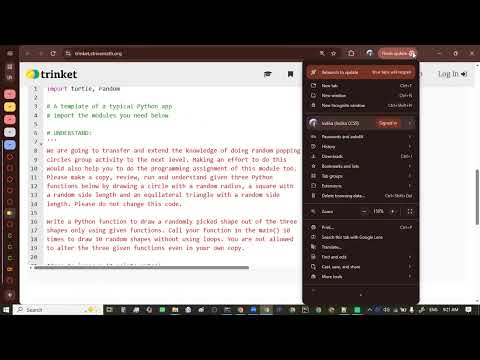
- The exercise provides drawing code for a square and an equilateral triangle, then asks students to build a function that randomly selects a shape.
- Indika Walimuni frames starter code as a typical project situation: extend existing functions rather than write every feature from scratch.
- The circle function was missing from the copied starter code, so a circle-drawing function is added during class.
- Circle radius, square side length, and triangle side length are generated inside the program, so the shape exercise initially requires no user input.
- Three equally likely outcomes can be represented by a random integer from 1 to 3.
- The planned branches map one choice to a square, another to an equilateral triangle, and the remaining choice to a circle.
- The added circle function draws at a random location with a randomly generated radius.
- The new function is named draw_random_shape and receives a Turtle object and a fill color.
- A descriptive docstring explains that the function draws a random circle, square, or equilateral triangle.
- Python's random.randint(1, 3) supplies the branch choice, with if and elif selecting the square and triangle and else selecting the circle.
- A Turtle is constructed with turtle.Turtle(), assigned to Tom, and passed to the drawing function with a color.
- The function is called repeatedly, then the Turtle speed is adjusted to make the sequence of ten shapes easier to observe.
- A color list is created with red, blue, green, yellow, and orange.
- One method selects a random list index using random.randint(0, len(color_list) - 1), then uses that index to obtain the color.
- The selected color is passed into draw_random_shape, making both the shape and its color vary across calls.
- The exercise includes strings in docstrings and a Turtle object in addition to integer values.
- An expression such as a random list lookup evaluates to a particular color value.
- Functions support code reuse, abstraction, and modular organization; calling a drawing function repeatedly avoids duplicating its implementation.
- Drawing 100 circles by copying and pasting code is possible but repetitive and difficult to adapt when the requested count changes.
- A loop lets a program generalize across different repetition counts, such as 10, 100, or 1,000 drawings.
- Walimuni introduces loops as a core programming concept and connects repeated computation to large-scale machine-learning training.
- A parent driving around the block while a child is awake illustrates repetition controlled by a condition.
- A lesson clip uses putting away plates while any remain in a stack to demonstrate a repeated task.
- The clip distinguishes an if statement, which checks a condition once, from an iteration statement, which repeatedly executes a code block.
- A while loop evaluates a Boolean expression before each pass through its indented body.
- When the expression is true, Python executes the loop body and returns to the condition; when false, execution continues after the loop.
- The indentation of the body, conventionally four spaces, identifies which statements repeat.
- A loop that tests whether value is less than 6 must change value so that the condition can eventually become false.
- Without an update, a condition that stays true creates an infinite loop that continues while the program runs.
- The lesson's example updates the value by multiplying it by 2; once it reaches 6, the less-than condition fails and the loop exits.
- Students trace a score starting at 0 and increasing by 5 to determine that the loop runs four times.
- The statement score = score + 5 can be shortened to score += 5.
- The condition is checked again at the top of every iteration, so the updated value determines whether another pass occurs.
- A sentinel is a designated value checked by a loop condition to signal when repetition should stop.
- In the password example, 999 is the sentinel: input continues while the entered value is not 999.
- A separate example demonstrates an infinite loop when the changing score remains greater than zero.
- A practice prompt asks for a loop that continues while a floating-point input value is greater than -10.0.
- The condition directly expresses the requirement as input_val > -10.0.
- Words such as while, as long as, until, and till can indicate repetition in programming prompts.
- A code-tracing example identifies zero as the sentinel used in a loop that updates a number with floor division.
- Students are encouraged to predict output by reading the condition and updates before running the code.
- A user-input conversation example continues until the user enters goodbye, with additional exit phrases suggested as an extension.
- A positive-integer exercise collects values until the user enters 0, then attempts to calculate an average.
- The class tests inputs interactively and finds that the example's sum or count handling produces incorrect averages.
- The main lesson is the input-loop pattern: keep requesting and processing values while the stopping condition has not been met.
- The challenge initializes number_of_successes to 0 and repeats while that count is less than 4.
- Each iteration reads an integer current_volume; values in the inclusive range 10 through 46 count as successes.
- For each qualifying volume, the code increments the success count and prints the current volume; the range test uses chained comparisons.
- The first function returns Fizz for integers divisible by 3, Buzz for integers divisible by 5, FizzBuzz for both, and a fallback result otherwise.
- A second function repeatedly calls the first using random integers from a given range until the midpoint is reached.
- The assignment's words until and its multiple divisibility cases signal the need for a while loop and if/elif branching.
Transcript excerpt
0:00 All right. So this is our agenda today. So it's week 13. Okay. So it's kind of went really fast, right? Okay. So um that means we we have about four let's see um yeah four week of instruction right let's see um yeah so this week two three four and then five weeks I would say okay so five weeks of instru instructions so what we're going to do is we're going to basically go one week per module okay so um we can now go a little bit faster because we covered kind of fundamentals right so and then um and the the only
0:50 one like today we're going to start module 10 which is much anticipated loop module right and then then one only one other technical module which is functions part two that's it and then the rest of the modules are basically ally conceptual topics like internet those things we can really go fast on them okay so that's one of the reason I push them all all the way to the end so that we cover the the fundamentals technical topics first and then allowing you guys to have some time leverage if you want to catch up as well okay so so once we covered those technical module first then you have the rest of
1:38 the semester that we can practice right so the whole idea is that so and then then uh there are four conceptual topics the internet it's security and privacy and then else think it's over here I need to I will be publishing uh some of those this week so it's right here Um right privacy and security so functions part two coming the the internet chapter 12 and then privacy and security chapter 13 and chapter 14 is
This is the start of the transcript. Save this video free for the whole transcript, searchable and time-coded.
In this course
Related notes
Summary, takeaways, and chapters were generated by AI from the video's transcript and may contain errors. The video belongs to its creator, indika walimuni.