Why Graph Engineering will 10x your Claude/Codex
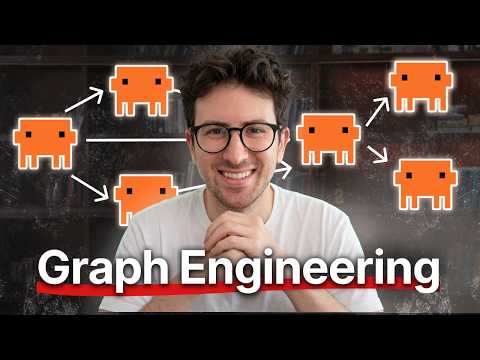 Watch on YouTube →
Overview
Greg Isenberg argues that graph engineering is the next useful AI concept after prompt engineering and context engineering because it designs the workflow around Claude, Codex, and other models instead of trapping everything in one long chat. He breaks graph engineering into two kinds, knowledge graphs for relationships and agent graphs for work movement, and shows how a simple planner/researcher/skeptic/merge/human-approval flow can improve startup research, support, content, and coding while creating reusable memory for future runs.
Key takeaways
- Graph engineering is about designing the workflow around Claude, Codex, or another model, not just writing a better prompt or adding more context.
- A single AI pass is risky for high-stakes decisions because the same model often decides the research plan, interprets the evidence, and grades its own answer.
- Agent graphs improve quality by splitting work into distinct roles: planner, parallel researchers, skeptic, merge step, and human approval.
- Knowledge graphs and agent graphs solve different problems: knowledge graphs connect information, while agent graphs control how work moves.
- Greg Isenberg recommends drawing and running the graph manually first, using tools like Excalidraw or tldraw, before automating with LangGraph, AutoGen Graph Flow, n8n, or make.com.
- The real compounding benefit of graph engineering is memory: each run produces reusable notes, evidence, and decisions that make the next run better.
Chapters
0:00
Why Graph Engineering Is More Than Another AI Buzzword
- Greg Isenberg frames graph engineering as a genuinely useful idea, unlike some viral terms such as prompt engineering, context engineering, agent engineering, vibe coding, and loop engineering.
- The goal is to turn one messy AI chat into a managed workflow with steps, checks, handoffs, loops, and human approvals.
- Examples he wants the workflow to cover include customer research, support triage, content production, and startup idea validation.
1:20
From One Giant Chat to a Planner–Researcher–Skeptic Workflow
- Prompt engineering asks better questions; context engineering supplies better information; graph engineering designs the work around the model.
- A one-shot startup decision can be dangerously overtrusted because one model decides what matters, researches, interprets, writes, and grades its own confidence.
- A better structure splits the task into a planner, parallel researchers, a skeptic, a merge step, and a human approval gate.
3:55
Knowledge Graphs vs. Agent Graphs in Real Business Work
- Knowledge graphs help AI reason over relationships like customer-to-company, product-to-tool, and feature-to-team connections.
- Agent graphs describe how work moves: planner to researchers to skeptic to synthesizer to human approval.
- Greg Isenberg says the practical focus here is agent graphs, though the best systems eventually combine both knowledge and workflow structure.
8:55
When Graph Thinking Beats Straight-Line Chat
- Graph engineering matters when work has multiple steps, multiple sources, parallel paths, checks, risk, or approval requirements.
- Good use cases include deep research, go-to-market planning, support ticket triage, code review, sales-call prep, customer-feedback synthesis, and recurring content workflows.
- He uses a startup example, whether to launch an AI bookkeeping product for Shopify merchants, to show how separate research lanes improve evidence quality.
13:35
How to Build Your First Graph Manually, Then Automate It
- Greg Isenberg recommends starting manually with Excalidraw or tldraw instead of jumping straight to LangGraph or AutoGen.
- A beginner graph can use separate lanes like customer research, competitor research, distribution research, skepticism, merge, and human approval.
- Intermediate setups can use Claude Code or a repo with files like plan.md, customer.md, competitors.md, distribution.md, review.md, and recommendation.md before moving to tools like LangGraph, AutoGen Graph Flow, n8n, or make.com.
17:00
Support, Content, and Coding Graphs That Produce Memory
- A support graph can classify billing vs. bug vs. cancellation risk, check account context, search docs, draft a reply, review for tone and risk, and route refunds or legal issues to a human.
- A content graph can move from research to thesis to examples to hook to script, then branch into titles, thumbnails, captions, and B-roll.
- A coding graph can include planning, code editing, diff review, tests, browser UI checks, edge-case checks, and final pull-request approval.
20:40
The Smallest Useful Graph and the Compounding Memory Advantage
- More agents do not automatically mean better output; they can create noise, repeated wrong ideas, and too much coordination overhead.
- The best graph is the smallest one that improves quality by removing fake waiting, separating workers from checkers, and inserting human approval where mistakes are expensive.
- Each graph should leave behind useful state (notes, evidence, drafts, sources, and decisions) so future graphs start smarter and create a durable context moat.
Summary, takeaways, and chapters were generated by AI from the video's transcript and may contain errors. The video belongs to its creator, Greg Isenberg.