MIME 4450 Lec 7 9 22 26
 Watch on YouTube →
Overview
The lecture moves from reviewing digital-logic, robot, and binary-arithmetic quiz questions to a practical introduction to Siemens S7-1200 programmable logic controllers using TIA Portal version 20. It walks through choosing and configuring 1214 and 1215 CPUs, assigning private-network IP addresses, compiling and downloading programs, checking PLC values online, and adding a simulated HMI, while emphasizing firmware, password, and certificate pitfalls.
Key takeaways
- For a Siemens S7-1200 lab connection, use a private network with the computer at 192.168.0.2 and the PLC at 192.168.0.3 to avoid university-network address conflicts.
- Match the TIA Portal CPU catalog entry to the physical S7-1200 model and firmware before programming; an incompatible firmware selection can prevent downloads.
- Do not set passwords on shared lab PLCs, because protection settings can block other users and may require a recovery card to reset.
- Use a 9-inch basic HMI panel configuration in TIA Portal version 20 and simulate the panel on the computer rather than relying on old physical displays.
- When PLC and HMI downloads fail because of certificates, compile both projects on the same date so their certificate dates align.
- A 1214 may need a signal board for analog output, while a 1215 provides more built-in I/O capability and two Ethernet ports instead of one.
Chapters
0:00
Course Plan and Review of the Digital-Logic Quiz
- Assignment 3 was the returned quiz, and Assignment 4 was due to be posted on the course website.
- The next two weeks would cover programmable controllers and HMIs, followed by machine vision and robots.
- Digital logic was presented as foundational knowledge students would repeatedly use in later course projects.
3:00
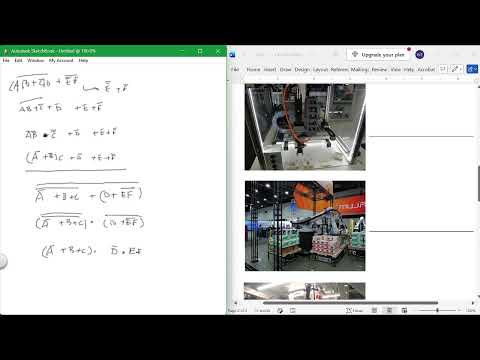
Boolean Algebra: Working Through Complemented Expressions
- The review separates the logic expression into portions and applies De Morgan transformations to complemented groups.
- Bars over individual terms and over complete expressions change how each portion must be expanded.
- The instructor stresses that the goal is to simplify to individual items rather than stop at combinations.
8:00
Robot Categories and End-of-Arm Tooling
- The four robot types identified are SCARA, Cartesian gantry, articulated six-axis, and Delta or parallel robots.
- SCARA robots are associated with circular work, while Delta robots operate from an overhead structure.
- EOAT means end-of-arm tooling, the equipment attached to a robot arm for handling or processing parts.
9:30
Binary Addition and Two's-Complement Subtraction
- The quiz review demonstrates binary addition by adding two bit strings column by column.
- For subtraction, it takes the bottom value's one's complement, adds 1 to form its two's complement, then adds that result to the top value.
- The final logic question is expressed using AND and NOT terms, with equivalent notation accepted.
11:36
TIA Portal 20: Software Access and Laptop Requirements
- The lab focuses on Siemens and Allen-Bradley PLCs because software is available for both platforms.
- Students can download Siemens TIA Portal version 20 for a 21-day trial before using lab installations and licenses.
- A Windows 10 or 11 laptop with an Ethernet connection, built-in or through a dongle, is recommended for project work.
15:00
Ethernet Switches and Safety PLC Selection
- The lab's unmanaged Ethernet switches act as simple junction points, allowing multiple PLCs and devices to share a local connection.
- A safety PLC should be selected early in a design when safety functions are required, rather than replacing a standard PLC late in the project.
- Yellow markings identify Siemens safety equipment, and safety PLC systems can count as two devices toward a project configuration.
21:30
S7-1200 CPU Variants, Analog I/O, and Signal Boards
- The S7-1200 examples include 1214 and 1215 CPUs, with the 1215 offering two Ethernet ports compared with the 1214's one.
- A 1214 may require a signal board to add analog output, while the 1215 example includes analog input and output capability.
- Siemens uses Q for outputs, while Allen-Bradley uses O, and the correct signal board must be added to the TIA Portal device configuration.
27:30
Creating a TIA Portal Project Without Password Lockouts
- Start a new TIA Portal version 20 project, add an S7-1200 CPU, and match the catalog entry and firmware to the label on the physical PLC.
- During CPU setup, disable the suggested password and protection options so other students can reuse the lab controller.
- The lecture warns that adding project passwords can lock a shared PLC and require a special recovery card to clear.
34:15
Private PLC Networking and the First Program Download
- The lab uses a private Ethernet network to avoid conflicts with university-assigned IP addresses.
- Set the computer interface to 192.168.0.2 and the PLC to 192.168.0.3; duplicate addresses on the same network cause conflicts.
- Compile before downloading, select the USB Ethernet adapter, then search accessible devices to find the PLC, including units initially shown only by MAC address.
41:00
Synchronization, Run Mode, and Online Watch Tables
- TIA Portal's synchronization prompt matters when multiple people work in one project containing multiple PLCs; a solo lab connection can continue without synchronization.
- After downloading, the CPU can be switched into Run mode from TIA Portal, unlike Allen-Bradley systems that may use a physical switch.
- Watch tables monitor PLC addresses in formats such as decimal, hexadecimal, or binary, and live input values can overwrite manually entered test values.
48:00
1214 Firmware Matching and Download Troubleshooting
- A 1214 project must match the CPU's firmware; an incompatible-version message means the catalog firmware selection needs adjustment.
- The demonstrated troubleshooting process tests firmware versions such as 4.7, 4.2, 4.4, or 4.0, then recompiles before trying the download again.
- Configure the CPU and signal board before writing program logic, so a hardware or firmware mismatch does not force the project to be rebuilt.
1:00:50
Adding a Basic HMI Panel and Cleaning Its Screens
- TIA Portal can add a basic HMI panel to the PLC project; the recommended example is a 9-inch basic panel.
- Avoid the 10-inch panel because its drivers were not updated for version 20, while 6-, 7-, 9-, 12-, and 15-inch options were presented.
- Create Screen 1, set it as the startup screen, and remove the default root screen and template elements that can cause errors.
1:07:00
HMI Simulation, Certificates, and PG/PC Interface Setup
- Use the TIA Portal HMI simulator instead of scarce, older physical panels; simulated buttons send values to the PLC over the configured connection.
- PLC and HMI downloads can fail when their certificates do not match, so compile both programs on the same date before downloading.
- For a first-time connection, configure the Windows PG/PC interface to the appropriate third network-interface option in Control Panel.
1:11:00
Linking the PLC and Simulated HMI in Version 20
- The PLC and HMI devices must be linked in the project network view by drawing the connection between them.
- For the demonstrated version 20 simulation, the HMI IP address should be 192.168.0.2, even though that matches the computer address, because the HMI is simulated.
- The lecture closes by emphasizing that correct configuration and connection setup are the difficult first steps before PLC programming becomes easier.
Summary, takeaways, and chapters were generated by AI from the video's transcript and may contain errors. The video belongs to its creator, Wm_T Evans.