Making a Toast with a Popover in HTML/CSS/JS (9-11-2026) | CIS311
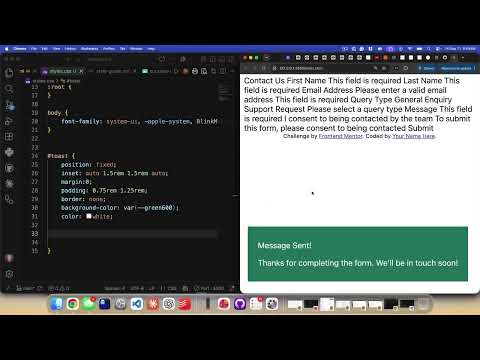 Watch on YouTube →
Overview
Kenan Casey builds a transient form-confirmation toast with HTML’s manual popover feature, CSS, and vanilla JavaScript, using a simulated submit-button click rather than sending form data. The walkthrough covers accessible status semantics, fixed-position styling, DOM event handling, a 4,000-millisecond dismissal timer, and pausing that timer while a pointer is over the toast.
Key takeaways
- An HTML element marked popover="manual" stays hidden until JavaScript calls showPopover(), and hidePopover() can dismiss it without creating a modal overlay.
- Give a confirmation toast role="status" so assistive technology can announce its message, and use concise markup such as a title paragraph and supporting-text paragraph.
- A reusable showToast(duration = 4000) function pairs showPopover() with setTimeout(), making the toast’s default four-second lifetime configurable.
- Store the return value from setTimeout() in a mutable variable and pass it to clearTimeout() when the timer must be canceled or restarted.
- Pointer-enter and pointer-leave callbacks can pause a toast’s dismissal while someone is reading it, then provide a fresh four-second interval after they move away.
- For a single fixed toast or a few predefined success/error messages, static HTML and vanilla JavaScript are sufficient; large collections of dynamic toasts require creating and managing elements programmatically.
Chapters
0:00
Define the Toast Markup and Manual Popover
- The homework task is to show a confirmation after a form is submitted; the form’s actual data submission is simulated.
- Kenan Casey marks up a single toast with an ID, a “Message sent” title, and a second paragraph for supporting text.
- The HTML popover attribute hides the toast initially; setting it to manual leaves showing and hiding under JavaScript control.
- A role of status gives screen readers the appropriate announcement semantics for the confirmation.
5:00
Set Up CSS and Style-Guide Color Variables
- Casey links a separate styles.css file and temporarily removes the popover attribute so the toast remains visible while styling.
- The toast uses position: fixed to leave normal document flow, with inset values to control its viewport placement.
- He resets the toast’s margin and border, then uses the assignment’s green color palette and white text.
- CSS custom properties declared under :root make style-guide colors reusable through var() references.
10:00
Refine Toast Position, Spacing, and Typography
- Casey adds padding of about 0.75rem vertically and 1.25rem horizontally to give the toast room around its text.
- He switches the page typography to the system UI font rather than leaving the browser’s Times New Roman default.
- The fixed-position toast is adjusted toward the top of the viewport; centering is explored but left unresolved during the styling pass.
- After explaining that position: fixed removes the element from normal flow, Casey moves on to the show-and-hide behavior.
14:00
Connect the Submit Button to the Toast Popover
- Casey outlines a common JavaScript workflow: select DOM elements, listen for an event, and run code in response.
- He retrieves the toast and a submit button with document.getElementById(), assigning the button an ID of submit-button.
- An addEventListener("click", ...) handler uses an arrow function to call the popover’s showPopover() method.
- The external script.js file is linked with a script src attribute immediately before the closing body tag so the DOM elements exist when the script runs.
19:00
Dismiss the Toast with a Four-Second Timeout
- Calling hidePopover() immediately after showPopover() makes the toast disappear at once, so dismissal must be delayed.
- Casey wraps the behavior in showToast(duration = 4000), which displays the toast and schedules its dismissal with setTimeout().
- The default duration of 4,000 milliseconds equals four seconds; callers can pass a different duration or use the default.
- The JavaScript controls visibility while CSS remains responsible for the toast’s appearance.
25:00
Consider Multiple Toasts and Pointer-Aware Usability
- A page with a small, known set of messages can define separate success and error toasts in HTML and choose which to show.
- If an application needs hundreds of dynamic toast messages, JavaScript must create and remove HTML elements; Casey notes that React may help with more dynamic interfaces.
- A toast that vanishes while someone is reading it creates a usability problem, so Casey proposes keeping it visible while the pointer is over it.
- The pointer-aware approach cancels the active dismissal timer on entry and starts a fresh timer when the pointer leaves.
33:00
Store and Reset the Toast’s Active Timer
- Casey adds a mutable hideTimer variable so the timeout’s ID can be saved and later canceled; let is used because the value changes.
- restartTimer(duration = 4000) calls clearTimeout(hideTimer) before creating a replacement setTimeout().
- showToast() now shows the popover and delegates its dismissal schedule to restartTimer(), keeping timer management in one function.
- Pointer-enter and pointer-leave listeners on the toast respectively clear the timer and restart it for another four seconds.
38:00
Fix Event-Listener Callbacks and Test the Toast
- The first pointer-listener attempt does not run the intended logic because a function reference was supplied instead of a callback that invokes the code.
- Casey fixes both listeners with arrow-function callbacks, then verifies that hovering keeps the toast visible and moving away restarts its countdown.
- The final interaction combines a manual popover, JavaScript timers, and pointer events to improve the confirmation’s usability.
- With the JavaScript behavior covered, Casey leaves students to focus on completing the assignment’s CSS.
Summary, takeaways, and chapters were generated by AI from the video's transcript and may contain errors. The video belongs to its creator, Kenan Casey.