Lecture 9: Variables (cont); Strings
 Watch on YouTube →
Overview
Burton Ma explains which Bash expansions work in variable assignments, then demonstrates parameter substitutions for measuring, extracting, trimming, replacing, and changing the case of strings. He emphasizes that Bash string patterns use glob-style matching, that substitutions do not modify the original variable unless assigned back, and that students should memorize string length and substring syntax while looking up less-common forms.
Key takeaways
- Bash assignment right-hand sides perform tilde, parameter, command, and arithmetic expansion, but not brace expansion or filename expansion.
- Use ${#str} for string length and ${str:offset:length} for substrings; a one-character extraction must specify a length of 1.
- In Bash prefix trimming, # removes the shortest matching prefix and ## the longest; suffix trimming uses % and %% with the same shortest-versus-longest distinction.
- Bash string replacement uses / for the first match and // for all matches, but the result does not alter the source variable unless assigned back.
- Bash case operators , and ^ affect the first character, while ,, and ^^ affect all matching characters; their optional patterns use glob-style matching.
Chapters
0:00
Bash Assignments Skip Brace and Filename Expansion
- Bash assignment values undergo tilde, parameter, command, and arithmetic expansion.
- Brace expansion, such as generating movie titles or number sequences, does not run on an assignment’s right-hand side.
- Filename expansion such as *.ipynb also does not run there, so assigning it preserves the literal pattern rather than a list of files.
5:30
Store Supported Expansion Results in Variables
- A tilde expansion can store the home directory in a variable, while parameter expansion can append the value of another variable to text.
- Command substitution stores a command’s output—for example, cowsay’s output—in a variable.
- Arithmetic expansion stores a computed sum; these examples contrast with the unsupported brace and filename expansions.
7:30
Measure Strings and Extract Bash Substrings
- Use ${#str} to get a string’s length; Burton Ma identifies this syntax as worth memorizing.
- Use ${str:offset} to extract from a zero-based offset through the end, or ${str:offset:length} to limit the result.
- For a single character, request a substring of length 1; a length of 0 returns an empty string.
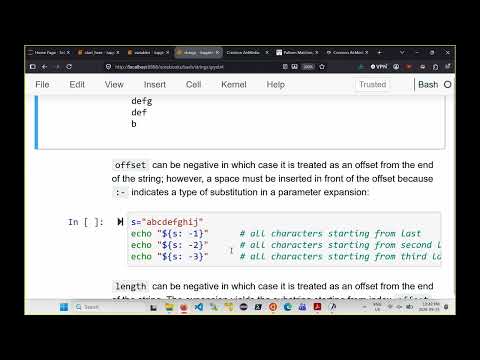
- Negative offsets count from the end, and a space before a negative offset avoids confusion with another colon-minus substitution form.
14:40
Trim String Prefixes with Bash Glob Patterns
- The # operator removes the shortest matching prefix; ## removes the longest matching prefix.
- Prefix patterns use glob syntax: * matches zero or more characters, ? matches one character, and square brackets match one character from a set.
- A literal character pattern matches only one occurrence, while patterns such as A* can match the rest of the string.
- For file.txt.zip, removing the shortest prefix matching *\. leaves txt.zip, while removing the longest leaves zip.
21:30
Extract File Names and Extensions with Prefix and Suffix Trimming
- Use ${0##*/} to remove the longest path prefix through the final slash and obtain a script’s name; the basename command provides a dedicated alternative.
- The % operator removes the shortest matching suffix, while %% removes the longest matching suffix.
- For file.txt.zip, trimming the shortest suffix matching .* removes .zip; trimming the longest removes .txt.zip.
26:10
Replace or Delete Substrings with Slash Substitution
- The ${str/pattern/replacement} form replaces the first matching substring; ${str//pattern/replacement} replaces every match.
- Replacing p with t in “sparring with a purple porpoise” changes only the first p with /, but changes all p characters with //.
- An empty replacement deletes matching text, and the original variable remains unchanged unless the result is assigned back to it.
30:10
Convert String Case with Bash Parameter Patterns
- Use ${str^pattern} or ${str,pattern} to change the first character’s case when it matches the pattern; ^ uppercases and , lowercases.
- Use ^^ and ,, to change the case of every matching character; a pattern such as [ABC] limits conversion to those letters.
- A ? pattern matches any single character, while omitting the pattern converts the first character—or, with doubled operators, the whole string.
- A pattern like ABC does not match the first character A, illustrating that these case operators test characters against the pattern rather than matching the whole string.
37:50
What to Memorize About Bash String Substitution
- Burton Ma recommends memorizing ${#str}, basic substring extraction, and the length-1 substring form for processing characters in a loop.
- He advises looking up less-common trimming, replacement, and case-conversion patterns instead of memorizing every Bash substitution.
- The notebook’s many forms for handling unset or empty variables are optional reading; the lecture skips them and closes with the next notebook scheduled for the following class.
Summary, takeaways, and chapters were generated by AI from the video's transcript and may contain errors. The video belongs to its creator, Burton Ma.