Lecture 12: Conditional statements
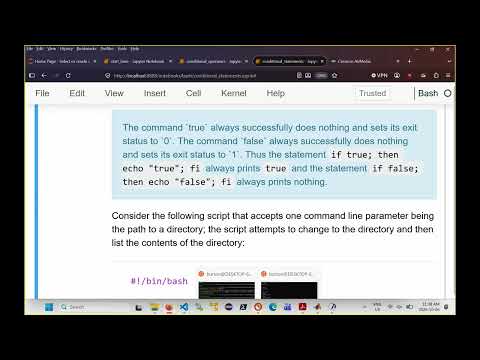 Watch on YouTube →
Overview
Burton Ma explains Bash conditional statements by showing that an `if` condition is evaluated through a command’s exit status: zero means true, and nonzero means false. He demonstrates `[[ ... ]]` tests for variables, files, and strings; explains glob-pattern matching and redirection; and recommends `(( ... ))` for numeric comparisons and compound arithmetic conditions.
Key takeaways
- In Bash, an `if` condition evaluates a command’s exit status: status 0 means true and a nonzero status means false, so commands such as `cd` can directly control branching.
- Quote parameter expansions such as `"$dir"` when passing user-supplied paths to commands; otherwise, spaces can trigger word splitting and change the argument.
- Use `[[ ... ]]` for Bash file and string tests, with required spaces around the expression; it avoids word splitting and filename expansion within the test.
- Within `[[ left == right ]]`, an unquoted right-hand side supports glob matching, while `=~` is for regular expressions; quoting the pattern makes its metacharacters literal.
- Use `(( ... ))` for numeric comparisons because `<` and `>` in `[[ ... ]]` compare strings lexically, not numbers.
- Combine conditions with `!`, `&&`, and `||`; for leap-year logic, test divisibility by 400 or divisibility by 4 combined with non-divisibility by 100.
Chapters
0:00
Bash `if` Syntax and Exit-Status Conditions
- A Bash conditional uses `if`, `then`, optional `elif` and `else` clauses, and ends with `fi`.
- A condition runs a command: exit status 0 is treated as true, while any nonzero status is false.
- The `true` and `false` commands demonstrate the rule: `true` returns 0, while `false` returns 1.
- A semicolon can separate `if` from `then` on one line; putting `then` on the next line works too.
4:00
Using `cd` as a Condition and Quoting Directory Arguments
- A directory-listing script can test whether `cd "$dir"` succeeds, then run `ls`; its `else` branch handles failure.
- Quoting `"$dir"` prevents word splitting if the first command-line argument contains spaces.
- An initial `else if` caused a syntax error because Bash expects a condition after `elif`; a plain `else` needs no condition.
- A failed `cd` prints its own diagnostic in addition to any error message generated by the script.
12:00
Sending Script Errors to Standard Error and `/dev/null`
- The three standard streams are standard input (0), standard output (1), and standard error (2); a terminal commonly connects them to the keyboard or screen.
- Redirect a script’s error message with `>&2` so it goes to standard error instead of standard output.
- Suppress the diagnostic from a failing `cd` with `2>/dev/null`, while still checking `cd`’s exit status.
- The example combines status-based control flow with separate handling of command diagnostics and the script’s own error message.
15:30
Bash `[[ ... ]]` Tests and ShellCheck
- Burton Ma recommends `[[ ... ]]` over single brackets, which are associated with the `test` command and have more quoting pitfalls.
- Spaces immediately inside `[[` and `]]` are required for Bash to parse the conditional correctly.
- A true expression inside `[[ ... ]]` gives the command exit status 0; a false expression gives a nonzero status.
- ShellCheck at `shellcheck.net` analyzes shell scripts and explains likely mistakes, including common Bash quoting and syntax problems.
20:00
Variable Assignment and File Tests in `[[ ... ]]`
- `[[ -v X ]]` checks whether variable `X` has been assigned; even assigning it the empty string counts as assigned.
- File tests include `-d` for a directory, `-e` for existence, and `-f` for a regular file.
- `-r`, `-w`, and `-x` test whether the current user can read, write, or execute a path; `-s` tests whether a file is nonempty.
- The file-test script checks a command-line path, reports a nonexistent path, and demonstrates permission changes with examples such as `..` and `/bin`.
25:00
String Tests, Glob Patterns, and Regular Expressions
- `-n` tests whether a string has nonzero length, while `-z` tests whether its length is zero; string equality can use `=` or `==`.
- In `[[ left == right ]]`, an unquoted right-hand side can act as a Bash glob pattern: `*` matches any sequence, `?` one character, and bracket expressions a character set or range.
- `[[ left = right ]]` performs string equality without the glob matching behavior of `==`; quoting the right-hand pattern also makes its special characters literal.
- Use `=~` for regular-expression matching; an unquoted glob such as `[A-Z][0-9][A-Z][0-9][A-Z][0-9]` can check a postal-code-like pattern.
30:00
Integer Comparisons and Argument-Count Validation
- Inside `[[ ... ]]`, integer comparisons use operators such as `-eq`, `-ne`, `-lt`, `-gt`, `-le`, and `-ge`.
- A comparison script returns or prints 0 when two numbers match, -1 when the first is smaller, and 1 when the first is larger.
- Using `<` or `>` for values inside `[[ ... ]]` compares strings in dictionary order, so the string `10` can sort before `2`.
- For numeric comparisons, Burton Ma recommends `(( ... ))`; a script expecting one argument can validate the count with `(( $# != 1 ))`.
37:00
Combining Conditions with Negation, AND, and OR
- Bash conditional expressions can be negated with `!`, combined with `&&` for AND and `||` for OR, and grouped with parentheses.
- A file condition such as `[[ ! -e $file ]]` tests that a path does not exist; spaces around the test operators matter.
- The combined file example checks whether a path is both a regular file (`-f`) and readable (`-r`).
- For numeric conditions, the lecture switches to `(( ... ))` rather than using string-oriented `[[ ... ]]` comparisons.
43:20
Testing Leap Years with Arithmetic Conditions
- A year is a leap year if it is divisible by 400, or if it is divisible by 4 and not divisible by 100.
- Bash’s remainder operator `%` tests divisibility by checking whether the remainder is zero.
- The example classifies 2100 as not a leap year, 214 as a leap year, and 2000 as a leap year.
- The lecture concludes by emphasizing command exit statuses, `[[ ... ]]` tests, and the negation, AND, and OR operators.
Summary, takeaways, and chapters were generated by AI from the video's transcript and may contain errors. The video belongs to its creator, Burton Ma.