Lecture 10: Regular expressions
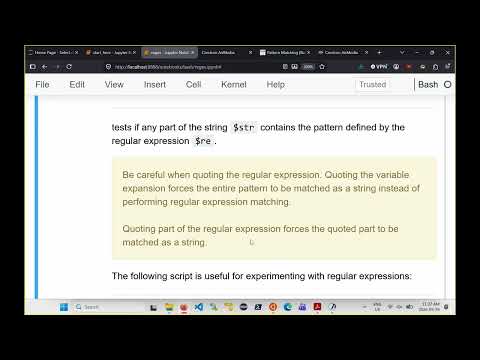 Watch on YouTube →
Overview
Burton Ma introduces POSIX extended regular expressions in Bash, showing how the `[[ string =~ pattern ]]` operator tests for matches and how anchors, character classes, quantifiers, grouping, and alternation build more precise patterns. He applies those tools to integer validation and `grep -E` searches, while emphasizing that broad patterns often match unintended text and that regexes should be used with care.
Key takeaways
- In Bash, `[[ string =~ regex ]]` searches for a matching substring by default; use `^` and `$` when the entire string must satisfy the pattern.
- Regex metacharacters are context-dependent: `.` matches any character outside a bracket expression, while `[.]` matches a literal period.
- Quantifiers apply to the immediately preceding atom, so parentheses are essential when repetition should apply to a multi-character sequence.
- The pattern `^[+-]?[0-9]+$` validates a signed or unsigned integer, but it also accepts leading zeroes.
- `grep -E` applies extended regular expressions to file lines; adding anchors or specific character classes can reduce false positives in searches.
- A regex that matches the intended text may also match unintended cases, so patterns should be tested against both valid and invalid examples.
Chapters
0:00
Why Regular Expressions Matter in Bash
- Burton Ma introduces regular expressions as a mini-language for describing text patterns, useful for searching and validating inputs such as phone numbers and postal codes.
- Bash glob symbols such as `*`, `?`, and square brackets have different meanings in regular expressions.
- For string conditions, the course uses `[[ ... ]]`; the `=~` operator compares a string on the left with a regex pattern on the right.
- Bash tests whether any part of the string matches unless the regex uses anchors; quoting regex syntax can turn it into a literal string match.
7:30
Literal Text Matches and Case Sensitivity
- A regular-expression character without special meaning matches that literal character; a pattern such as `A` tests whether the string contains an uppercase A.
- A sequence such as `and` must occur together and in order; separate letters elsewhere in the string do not satisfy the pattern.
- Bash matching is case-sensitive, so lowercase `h` does not match uppercase `H`.
- The `test_reax` helper script lets students try a string and a regex and see whether Bash reports a match.
11:30
Anchors and Dot for Exact and Positional Matches
- The `^` anchor matches the beginning of a string, while `$` matches its end.
- Combining `^` and `$` around a pattern, such as `^hy$`, requires the entire string to match rather than merely contain `hy`.
- A dot (`.`) matches exactly one character, so `^....$` describes a four-character string.
- Without anchors, a pattern containing a dot can match a substring inside a longer string.
16:10
Character Classes, Ranges, and Literal Metacharacters
- A bracket expression such as `[aei]` matches one character from the listed set; with anchors, `^s[aei]t$` matches `sat`, `set`, or `sit`.
- Ranges such as `[a-z]` compactly represent lowercase letters, and a caret at the start of a bracket expression negates the set.
- A hyphen can be included literally in a character class by placing it first, rather than using it as a range marker.
- To match a literal period, place it in a bracket expression such as `[.]`; an unescaped `.` matches any single character.
20:40
Regex Quantifiers and Validating Signed Integers
- In extended regular expressions, `*` means zero or more repetitions, `+` means one or more, and `?` means zero or one of the preceding atom.
- The pattern `^[0-9]+$` requires an entire string of at least one digit; using anchors prevents a digit substring from passing as a whole-number match.
- A sign can be optional with `[+-]?`, yielding a pattern such as `^[+-]?[0-9]+$` for signed or unsigned integers.
- The POSIX digit class `[[:digit:]]` can replace `[0-9]`; these patterns still accept leading zeroes.
27:20
Brace Quantifiers and Grouped Subexpressions
- Brace quantifiers specify repetition counts: `{2}` means exactly two occurrences, `{1,}` means one or more, and `{1,3}` means one to three.
- A quantifier applies to the preceding atom, so in `xa{1,3}` it modifies only `a`, matching `xa`, `xaa`, or `xaaa`.
- Parentheses group a regex into a subexpression that can be treated as one atom.
- For example, `^(abc)+$` matches one or more repetitions of the complete sequence `abc`.
30:20
Alternation with `|` and Date-Component Patterns
- The vertical bar (`|`) matches either the regex expression on its left or the expression on its right; grouping controls how much each alternative includes.
- Anchors placed on only one side of an ungrouped alternation may apply to separate alternatives, producing broader matches than intended.
- A grouped year pattern using `19` or `20` followed by two digits matches years from 1900 through 2099.
- The lecture combines alternatives and digit ranges to describe two-digit months from `01` to `12` and days from `01` to `31`.
35:30
Searching Files and Source Code with `grep -E`
- `grep -E` searches file lines using POSIX extended regular expressions; without `-E`, `grep` uses basic regex syntax.
- Piping `ls` output to `grep -E 'zip'` finds names containing `zip`; `^zip` selects names beginning with it, and `zip$` selects names ending with it.
- The line-number option helps locate matches in source files, but searching for `for` alone also finds comments and other unrelated occurrences.
- A more selective Java loop search uses `for[[:blank:]]*[(]` to allow optional spaces or tabs before a literal opening parenthesis.
43:00
HTML Links, Word-Game Searches, and Regex Cautions
- A quoted `grep` pattern can search HTML text for anchor tags beginning with `<a `; quoting for `grep` differs from quoting the right-hand regex in Bash’s `=~` condition.
- A word-list file can be filtered with a five-character pattern such as `^.k.s.$` to find words with specified letters in fixed positions.
- Burton Ma cautions that regexes often match unwanted text as well as the intended target, and recommends consulting further references for complex cases such as legal email addresses.
- The lecture closes by noting that regular expressions are powerful but not always the best solution for a pattern-matching problem.
Summary, takeaways, and chapters were generated by AI from the video's transcript and may contain errors. The video belongs to its creator, Burton Ma.