The New Claude Design Destroys Every Site Designer
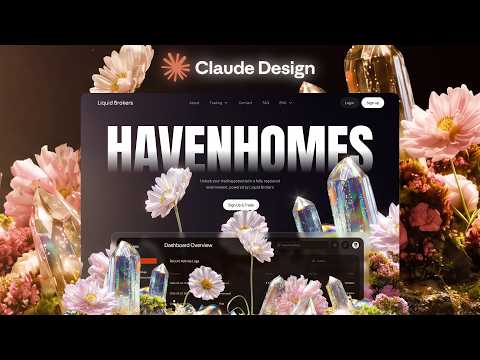 Watch on YouTube →
Overview
Viktor Oddy demonstrates how to use Claude Design, Nanobanana, Cedance, and other AI tools to rapidly generate website designs from image-based inspiration. He details prompt engineering techniques for each tool and shares tips for promoting AI-generated designs on Twitter to attract clients.
Key takeaways
- Claude Design can generate website layouts from text prompts, allowing for rapid prototyping and design iteration.
- Nanobanana can be used to recreate and modify images in specific styles, enabling consistent visual design across a website.
- Cedance 2.0 and Clean 3.0 can animate AI-generated images and videos, adding dynamic elements to website designs.
- Iterative prompting, referencing multiple images, is key to achieving desired results with AI image generation tools.
- Promoting AI-generated designs on Twitter, incorporating trending topics and tagging relevant creators, can attract clients.
- Screen Studio and shots.so can enhance screen recordings for social media promotion.
Chapters
0:00
Generating a Website Hero Section with Claude Design and Nanobanana
- Viktor Oddy uses Claude Design (clo.ai/design) to generate website layouts from text prompts.
- He uses Motion Sites AI to copy typography sets as a starting point, then refines the design in Claude.
- Viktor Oddy generates a video background using Nanobanana 2 and animates it with Cedance 2.0, using specific prompts to control the animation style.
- UI elements are added to the hero section by uploading screenshots from Dribbble to Claude Design and instructing the AI to integrate them with a liquid glass style.
4:50
Building Additional Website Sections with AI-Generated Assets
- Viktor Oddy finds inspiration for subsequent website sections on Pinterest and uses Nanobanana to recreate the image in a consistent style.
- He refines the Nanobanana output through iterative prompting, referencing both the original Pinterest image and the initial AI-generated image to guide the style transfer.
- Viktor Oddy expands the image in Figma and animates it using Clean 3.0 to create a looping video background.
- He instructs Claude Design to build a new section based on a modified image, incorporating Google Material icons and the established liquid glass style.
Summary, takeaways, and chapters were generated by AI from the video's transcript and may contain errors. The video belongs to its creator, Viktor Oddy.