Life Roles & Commitments: Mapping Your Life Spaces and Well-Being | WFED 119 | Sep 29, 2026
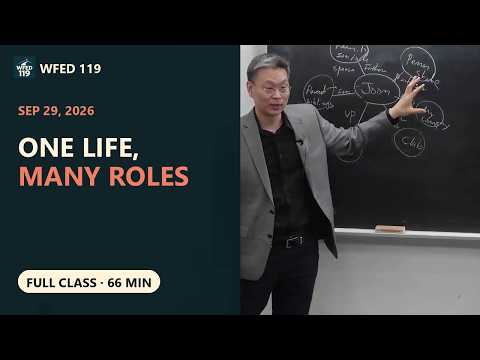 Watch on YouTube →
Overview
June guides WFED 119 students in extending their mission statements into 5–7 life spaces and roles, then connecting those roles to spiritual, mental, emotional/social, physical, financial, and occupational well-being. The class combines a 20-second team TikTok prompt about a dream mentor with a LifeCraft or workbook exercise on role commitments, future life stages, and reflection; June also outlines Sunday submission requirements and a Microsoft Teams/OneDrive workflow for the team project.
Key takeaways
- A practical life-space map should contain five to seven meaningful areas; combining minor clubs keeps the map manageable for later goal setting.
- Roles turn broad relationships into actionable commitments: identify the people or groups, name the role, and write a specific sentence describing what you will do in it.
- Personal well-being is foundational to sustaining other commitments; June connects it to spiritual, mental, emotional/social, physical, and financial domains, alongside occupational well-being.
- The life-stage worksheet asks students to color when roles are active across ages, not simply list goals; examples include student, child, and worker roles with individually chosen age ranges.
- The team TikTok task is a roughly 20-second dream-mentor prompt, submitted through Canvas for participation; appearing on camera and public use are optional.
- For AI-supported team feedback, students should use the Microsoft Teams/OneDrive shared Word workflow, anonymize names, delete phone numbers, and treat AI as an initial reviewer rather than the only reviewer.
Chapters
0:00
Extend the Mission Statement into Life Spaces
- Students have already identified personality types, values, life themes, strengths, and a one-sentence mission statement.
- June frames this week as applying that identity across spaces such as Penn State, family, community, future work, clubs, church, and sports.
- The assignment asks students to identify the roles they play within those spaces.
3:00
Launch the Team TikTok Assignment: “If I Had One Dream Mentor”
- Teams are directed to Canvas, Week 6, to find the team TikTok video assignment.
- The prompt is “If I had one dream mentor”; teams can introduce members and use interviews or another short format.
- The requested video is about 20 seconds, with roughly 15–20 minutes allotted for planning and recording.
- Uploading to Canvas counts toward participation rather than a grade; appearing on camera is optional, and teams can request that their video not be used on TikTok or YouTube.
6:00
Team Planning and Recording Time
- Teams use the work period to discuss their dream mentors and shape a short video around the week’s prompt.
- June emphasizes that students who do not want to appear on camera can still contribute without losing points.
- Teams are asked to note any restriction on public use when they upload the video to Canvas.
21:00
Begin the Life Roles and Commitments Exercise
- Students who finish the team activity can begin the LifeCraft platform’s Life Roles and Commitment section.
- A Week 6 workbook is also available through Canvas for students who prefer a paper or Word-based approach.
- June introduces the exercise as a map of important people, groups, and communities around the student.
24:30
Map Communities and Relationships around the Self
- The worksheet starts with the student’s name at the center and branches out to significant groups and people.
- June’s example includes Penn State, family, a weekend basketball club called the Hoopers, and a company in Korea.
- Family can be separated into specific relationships such as spouse, child, parents, and siblings.
27:00
Choose Five to Seven Manageable Life Spaces
- June recommends a minimum of five and a maximum of seven spaces so the map remains useful for later goal management.
- Students involved in several clubs can combine less central groups rather than assigning each club a separate space.
- Future spaces are allowed, including a prospective company or family, if they reflect goals the student is considering.
30:00
Name Roles and Use Them to Organize Goals
- Students assign a role title to each relationship or space, such as player, son, spouse, father, professor, or CEO.
- June describes using the Franklin Planner, associated with FranklinCovey, to organize time and goals around life roles.
- The exercise first identifies important people or groups, then clarifies the student’s role in each relationship.
34:00
Prioritize the Relationship with Yourself and Well-Being
- Students offer relationships such as parent–child bonds and sibling relationships as personally important examples.
- June emphasizes the relationship with oneself: neglecting personal well-being can undermine other roles and responsibilities.
- The well-being domains named in class include spiritual, mental, emotional/social, physical, and financial health.
37:00
Write Role Commitments and Project Identity into the Future
- Students write a commitment sentence for each role or well-being domain, such as a concrete action as a son or for physical health.
- June highlights occupational well-being because work takes up a substantial share of waking time and career choices affect life balance.
- After completing the map, students share snapshots with teammates and submit the assignment with a reflection by Sunday.
- The exercise leads into next week’s projection across life stages, considering roles and goals in the 20s, 30s, 40s, 50s, and beyond.
41:00
Apply “Sharpen the Saw” to Personal Well-Being
- June uses the “sharpen the saw” metaphor: nonstop sawing for 10 hours is less effective than taking breaks, hydrating, and maintaining the tool.
- The metaphor translates into actively maintaining well-being so that other roles and responsibilities remain sustainable.
- Students clarify that the worksheet’s life-stage figure is meant to show when roles are active, not to list future role ideas in the cells.
45:00
Complete the Life-Stage Timeline and Prepare Evidence
- In the life-stage table, students replace “Role 1,” “Role 2,” and similar labels with actual roles, then color the age ranges when each role may apply.
- Examples include a student role from around age six through age 60 or lifelong learning, a child role from birth into later adulthood, and a worker role from around age 20 until a chosen retirement age.
- The worksheet uses the “sharpen the saw” label for the well-being domains; occupational well-being may also be represented as a role.
- Students may complete the workbook or LifeCraft, but should place a screenshot of LifeCraft’s final roles-and-commitments page and their reflection in the Word assignment document.
54:00
Confirm Sunday Deliverables and Advance Team Project Step Two
- The week has two priorities: submit the roles-and-commitments activity with its reflection by Sunday and make progress on team project Step Two.
- June says feedback on team progress is forthcoming Thursday and asks students to use a Word document rather than Google Docs for the shared project file.
- Students are directed to access the 2026 team space in Microsoft Teams, where team members have been added and a shared workbook is available.
58:00
Set Up OneDrive Sharing, Protect Personal Data, and Use AI for Team Feedback
- Teams should add a shortcut to the shared Teams folder in OneDrive so the project files appear in the computer’s file manager.
- Before sharing a workbook for AI analysis, replace student names with initials and remove phone numbers; name the file with the team identifier, such as “Team 1_…”.
- Students can share the Word document with teammates through an editable link; the shared file updates automatically and remains accessible to June.
- For AI-assisted review, teams can designate the OneDrive folder in a supported tool or upload files to Penn State AI Studio; AI provides initial progress feedback, with humans also reviewing the work.
- Students who miss class can replay the recording through YouTube by searching “workforce set19.”
Summary, takeaways, and chapters were generated by AI from the video's transcript and may contain errors. The video belongs to its creator, Career Planning and Life Design.