CSCE145 F2026 00 Introduction
 Watch on YouTube →
Overview
J. J. Shepherd introduces computing as input, processing, and output, then explains how CPU, RAM, bits, bytes, and files support program execution. He connects algorithms and high-level languages to Java compilation and the JVM, describes common programming errors, and demonstrates an Eclipse program that prints text and adds two integers entered with Scanner.
Key takeaways
- A computer’s basic execution model is input, processing, and output; the CPU processes instructions while RAM holds the data those instructions use.
- Memory is byte-addressed: each byte contains 8 bits, and an address identifies where that byte resides.
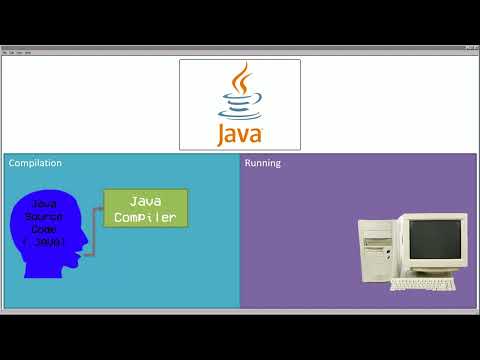
- Java source code is compiled from .java files into .class bytecode, which the JVM executes to make Java programs portable across platforms.
- Java requires a class name to match its source filename, and execution begins at the main method.
- Syntax errors prevent compilation, runtime errors interrupt a running program, and logic errors can yield wrong results even when compilation and execution succeed.
- A Scanner connected to System.in can read console integers with nextInt(); those values can be stored, added, and displayed with System.out.println.
Chapters
0:00
Computer Hardware, Memory, and Java Files
- A computer takes input, processes it with instructions, and produces output; programming uses this tool to solve problems.
- The CPU runs instructions, while RAM stores data the CPU can access and modify; hard drives provide secondary storage.
- A bit is 0 or 1, a byte contains 8 bits, and memory addresses identify byte locations; larger values can span adjacent addresses.
- Java source files use the .java extension, while compiled bytecode is stored in .class files.
4:29
Java Compilation, the JVM, and Common Errors
- An algorithm is a set of steps for solving a problem; a program is a set of instructions written for a computer.
- High-level languages such as Java are easier for people to write than machine code or assembly, so a compiler translates them into computer-readable form.
- Java projects organize code into classes and methods; Java class names must match their .java file names.
- The Java compiler turns .java source into .class bytecode, which runs on a Java Virtual Machine (JVM) to support portability across operating systems and architectures.
- Shepherd distinguishes syntax errors that block compilation, runtime errors such as division by zero, and logic errors that produce incorrect results despite running.
12:33
Build and Run a Hello World Program in Eclipse
- In Eclipse, Shepherd creates a Java project, uses its src folder, and creates a HelloWorld class with a public static void main method.
- The class name must match the HelloWorld.java filename, and Shepherd recommends adding the programmer’s name in a source-file comment.
- System.out.println prints a quoted string to the console; a missing semicolon causes a syntax error that must be fixed before running.
- Eclipse compiles the program into a .class file, loads it into the JVM, and runs statements sequentially from top to bottom.
19:25
Read Two Integers with Scanner and Print Their Sum
- Shepherd imports java.util.Scanner and constructs a Scanner named keyboard with System.in to read console input.
- The keyboard.nextInt() method reads integer input into int variables value1 and value2.
- The program calculates result as value1 + value2, then combines text and variable values in System.out.println to display the equation and sum.
- Entering 2 and 3 demonstrates the flow from console input through stored variables and arithmetic to printed output.
Summary, takeaways, and chapters were generated by AI from the video's transcript and may contain errors. The video belongs to its creator, UofSC_CSCE145_CSCE146.