CS50x - Lecture 0 - Scratch
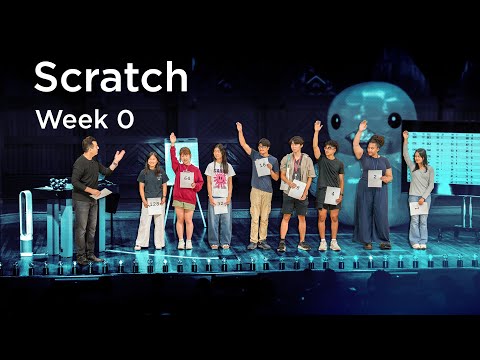 Watch on YouTube →
Overview
CS50's introduction to computer science begins with David Malan demonstrating AI integration via Python and OpenAI's API to build a chatbot. The course then delves into fundamental concepts, starting with binary representation (bits and bytes) and progressing to encoding characters (ASCII, Unicode), colors (RGB), images (pixels), and sound/video. The lecture emphasizes computational thinking and algorithms, illustrating concepts like binary search with a phone book analogy and introducing pseudocode. Finally, it transitions to Scratch, a visual programming language, showcasing its use of functions, loops, conditionals, and custom blocks to build interactive programs like "Oscar Time" and "Harvard vs. Yale" games, highlighting abstraction and modularity.
Key takeaways
- Computers represent all information—numbers, text, images, sound—as patterns of binary digits (bits).
- Algorithms are fundamental to computer science, providing step-by-step instructions to solve problems efficiently.
- Scratch's visual interface simplifies programming concepts like functions, loops, and conditionals, enabling the creation of interactive programs and games.
- Abstraction is a key principle: higher-level tools (like OpenAI's API or Scratch blocks) build upon and hide the complexity of lower-level implementations.
- Well-designed code is not just correct but also efficient and modular, using custom blocks and avoiding repetition.
- Understanding data representation (binary, ASCII, RGB) is crucial for comprehending how computers store and process information.
Chapters
- AI is transforming programming by assisting with bug detection and feature implementation.
- Understanding CS fundamentals remains crucial despite AI advancements.
- CS50 aims to teach computational thinking and problem-solving, not just programming languages.
- Demonstration of creating a chatbot using Python and the OpenAI API in VS Code.
- Code involves importing OpenAI, creating a client, and sending prompts for responses.
- The chatbot's behavior can be controlled via user prompts and system prompts (e.g., limiting answers to one sentence or adopting a persona).
- Computer science is the study of information and computational thinking.
- Problems are distilled into input, output, and a 'black box' process.
- Algorithms are step-by-step instructions for solving problems.
- Computers fundamentally use binary (zeros and ones) to represent all information.
- Binary digits (bits) are combined into bytes (8 bits) to represent numbers, characters, and more.
- Different base systems (decimal, binary) are used for counting and representation.
- Decimal (base-10) uses digits 0-9, while binary (base-2) uses only 0 and 1.
- Placeholders (ones, tens, hundreds in decimal; ones, twos, fours in binary) determine a digit's value.
- Computers use binary due to the simplicity of representing electrical states (on/off).
- A bit is a single binary digit (0 or 1).
- A byte consists of 8 bits, allowing for 256 possible combinations (0-255).
- Modern systems use 32 or 64 bits for larger numbers, enabling billions of possibilities.
- Characters (letters, numbers, symbols) are represented by specific patterns of bits.
- ASCII (American Standard Code for Information Interchange) uses 7 or 8 bits for English characters and symbols.
- Unicode is a superset of ASCII, using more bits (e.g., 16, 32) to represent a vast range of characters from all human languages, including emojis.
- Colors are represented using integers, typically with the RGB (Red, Green, Blue) model.
- Each color component (R, G, B) can range from 0 (none) to 255 (maximum).
- Combining different amounts of red, green, and blue creates millions of possible colors.
- Images are composed of individual dots called pixels.
- Each pixel's color is represented by a combination of bits (e.g., 24 bits or 3 bytes for RGB).
- Image file sizes (megabytes) reflect the number of pixels and the bits used per pixel.
- Video is essentially a sequence of images (frames) displayed rapidly (e.g., 30 frames per second).
- Music can be represented by numbers encoding frequency (pitch), duration, and amplitude (loudness).
- All media (video, sound, images) are ultimately represented as patterns of zeros and ones.
- The computer interprets patterns of zeros and ones based on context provided by the programmer or software.
- A pattern can represent a number (e.g., 65), a character ('A' in ASCII), or a color, depending on the application.
- File formats (e.g., .gif, .jpeg) dictate how the binary data is interpreted.
- Algorithms are step-by-step instructions to solve problems.
- Linear search (checking each page) is correct but slow.
- Binary search (dividing the problem in half repeatedly) is significantly more efficient for large datasets like phone books.
- Algorithmic efficiency is measured by how time scales with problem size (N).
- Linear algorithms (O(N)) take time proportional to N (e.g., checking each page).
- Logarithmic algorithms (O(log N)) take time that grows very slowly with N (e.g., binary search).
- Pseudocode uses English-like descriptions to outline algorithms before writing actual code.
- It involves functions (actions), conditionals (if/else), boolean expressions (yes/no questions), and loops (repetition).
- Precise pseudocode is crucial to avoid bugs, especially in edge cases like a person not being in the phone book.
- Functions are reusable blocks of code that perform specific tasks (verbs).
- Conditionals (if/else) allow programs to make decisions based on boolean expressions.
- Loops (repeat, forever) enable repetitive execution of code blocks.
- The "Hello, World!" program is a traditional first program in many languages.
- Low-level machine code (zeros and ones) is translated by compilers into human-readable languages (like C).
- Abstraction layers (e.g., Python, OpenAI API) hide complex implementation details, making programming easier.
- Scratch is a graphical programming language developed at MIT, using drag-and-drop puzzle pieces.
- It simplifies programming concepts like functions, loops, and conditionals for beginners.
- The interface includes a blocks palette, scripting area, sprites, and a stage (XY plane).
- The 'when green flag clicked' event triggers the program.
- The 'say' block from the Looks category displays text.
- Arguments (like 'Hello, World!') are inputs to functions.
- The 'ask' block from Sensing prompts the user for input and stores it in the 'answer' variable.
- Variables can store values (like names) that can be used later in the program.
- The 'join' block from Operators concatenates strings (e.g., 'Hello, ' + answer).
- Scratch provides built-in sounds (e.g., 'meow') and text-to-speech capabilities.
- The 'wait' block from Control can slow down program execution.
- Repeating actions multiple times can be achieved using the 'repeat' loop block.
- Users can define their own blocks (functions) using 'Make a Block'.
- Custom blocks abstract complex logic into a single, reusable piece.
- Blocks can accept arguments (inputs) to customize their behavior (e.g., 'meow N times').
- The 'forever' loop continuously checks conditions.
- The 'if <touching mouse-pointer>' conditional from Sensing triggers actions when the mouse hovers over a sprite.
- Combining loops and conditionals creates interactive behaviors, like petting a cat.
- Sprites (cat, trash can, trash) can have multiple costumes for animation.
- Sprites can be moved to random positions and made 'draggable'.
- Collision detection ('if touching Oscar') triggers actions like scoring or resetting trash position.
- Variables (e.g., 'score') track game state.
- Changing the score variable increments the player's points upon successful actions.
- Multiple sprites (e.g., trash, shoes, Oscar) can interact within the game environment.
- Sprites can move autonomously using loops and 'point towards' or 'change X/Y by' blocks.
- Collision detection with walls ('if touching wall') reverses sprite direction for bouncing behavior.
- AI-like behavior can be implemented by having sprites follow the player's sprite.
Summary, takeaways, and chapters were generated by AI from the video's transcript and may contain errors. The video belongs to its creator, CS50.