CS50x en Español - Clase 7 - SQL
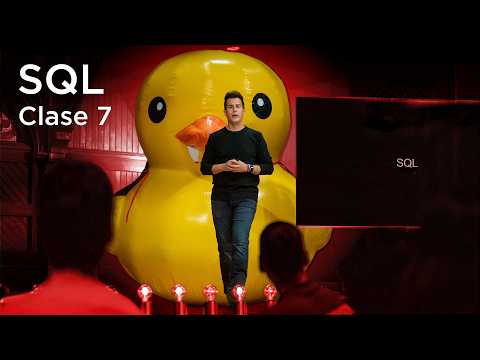 Watch on YouTube →
Overview
CS50x en Español introduces SQL, a declarative programming language, contrasting it with procedural languages like C and Python. The lesson demonstrates downloading and processing CSV data using Python, then transitions to relational databases and SQL for more efficient data management. Key SQL operations (CRUD), data modeling with normalization, and advanced concepts like joins, subqueries, and indexing are covered, culminating in integrating SQL with Python via the CS50 library and addressing security concerns like SQL injection and race conditions.
Key takeaways
- SQL is a declarative language that simplifies data querying and manipulation compared to procedural languages.
- Relational databases with SQL provide scalable and robust data management, essential for modern applications.
- Data modeling techniques like normalization (using primary and foreign keys) reduce redundancy and improve data integrity.
- SQL supports complex queries through joins, subqueries, and aggregate functions to extract meaningful insights.
- Security is paramount: parameterized queries prevent SQL injection, and transactions handle race conditions.
- Integrating SQL with programming languages like Python (e.g., via the CS50 library) allows building dynamic applications.
Chapters
0:47
Introduction to SQL: A Declarative Programming Language
- SQL (Structured Query Language) is a declarative language, unlike procedural languages like C and Python.
- It allows users to declare what they want, and the language figures out how to retrieve it.
- SQL offers a different paradigm for problem-solving, often with greater ease than procedural approaches.
3:38
Data Collection via Google Forms and CSV Export
- Real-world data collection is demonstrated using Google Forms.
- Data can be exported from Google Sheets into a CSV (Comma Separated Values) file.
- CSV is a common, tabular format for raw data, easily loadable into code.
8:28
Flat File Databases: Understanding CSV Structure
- CSV files are 'flat file databases' – essentially plain text files.
- Values are separated by commas, with other conventions like TSV (tab-separated) also existing.
- The CSV file `favorites-formresponses1.csv` is renamed to `favorites.csv` for simplicity.
11:46
Reading CSV Data with Python's `csv` Library
- Python's `csv` library simplifies reading CSV files.
- The `csv.reader` object iterates over rows, automatically handling comma separation.
- The `with open(...)` statement ensures the file is properly closed.
15:10
Handling Headers and Iterating with `csv.reader`
- The `csv.reader` includes the header row by default.
- The `next()` function can be used to skip the header row.
- The `csv.reader` maintains state, remembering its position in the file.
18:34
Using `csv.DictReader` for Robust Data Access
- `csv.DictReader` reads rows as dictionaries, using headers as keys.
- This makes data access more robust, as it's not dependent on column order.
- Accessing data by column name (e.g., `row['language']`) is preferred over index (`row[1]`).
23:21
Counting Language Preferences with Python Dictionaries
- A dictionary is used to store counts for each programming language.
- Initial counts are set to zero for 'Python', 'C', and 'Scratch'.
- Conditional logic (`if/elif/else`) increments the count for each favorite language.
30:15
Implementing Scalable Counting with a Single Dictionary
- Using individual variables for each language count is not scalable.
- A single dictionary `counts` is initialized as empty (`{}`).
- The `favorite` language is used as the key to increment its count in the `counts` dictionary.
32:29
Handling `KeyError` When Incrementing Dictionary Counts
- A `KeyError` occurs if trying to increment a key that doesn't exist in the dictionary.
- Solution 1: Check if the key exists (`if favorite in counts:`), then increment or initialize to 1.
- Solution 2: Initialize the key to 0 if it doesn't exist, then increment safely.
37:06
Using `try-except` for `KeyError` Handling in Python
- An alternative to explicit checks is using `try-except` blocks.
- Attempt to increment the count; if a `KeyError` occurs, initialize the count to 1.
- This `try-except` pattern is a common Pythonic way to handle potential errors.
40:14
Transitioning to Relational Databases and SQL
- Flat file databases (like CSVs) become cumbersome for large datasets.
- Relational databases define relationships between data, offering more power and scalability.
- SQL (Structured Query Language) is the standard for interacting with relational databases.
41:52
The Four Fundamental SQL Operations: CRUD
- SQL supports four fundamental operations: Create, Read, Update, Delete (CRUD).
- `SELECT` is the command for reading data.
- `INSERT`, `UPDATE`, and `DELETE` are used for writing/modifying data.
45:41
Creating an SQLite Database and Importing CSV Data
- SQLite is a lightweight, file-based SQL database.
- The `sqlite3` command-line tool is used to create and manage databases.
- The `.import` command loads data from a CSV file into a new SQL table.
51:45
Inspecting Database Schema with `.schema`
- The `.schema` command in SQLite displays the database's structure.
- It shows table names, column names, and data types (e.g., `TEXT`).
- The `.import` command automatically creates a table with `TEXT` columns by default.
53:40
Basic SQL Queries: `SELECT` Statement
- `SELECT * FROM favorites;` retrieves all columns and rows from the `favorites` table.
- `SELECT language FROM favorites;` retrieves only the 'language' column.
- SQL is declarative: you specify *what* data you want, not *how* to get it.
56:54
SQL Aggregate Functions: `COUNT` and `DISTINCT`
- SQL provides built-in functions like `COUNT(*)` to count rows.
- `SELECT DISTINCT language FROM favorites;` retrieves unique language entries.
- `SELECT COUNT(DISTINCT language) FROM favorites;` counts the number of unique languages.
1:00:00
Filtering Data with `WHERE` Clause and `LIKE` Operator
- The `WHERE` clause filters rows based on specified conditions.
- `WHERE language = 'C'` selects rows where the language is 'C'.
- The `LIKE` operator with wildcards (`%`) allows pattern matching (e.g., `WHERE problem LIKE 'hello,%'`).
1:08:26
SQL Keyword Casing Conventions and Case-Insensitive `LIKE`
- SQL keywords (SELECT, FROM, WHERE) are conventionally capitalized for readability.
- String comparisons with `=` are typically case-sensitive.
- The `LIKE` operator is often case-insensitive, tolerating variations in capitalization.
1:08:44
Grouping Data with `GROUP BY` and Counting Occurrences
- `GROUP BY` aggregates rows with the same values in specified columns.
- `SELECT language, COUNT(*) FROM favorites GROUP BY language;` counts occurrences of each language.
- This replaces extensive Python code for frequency analysis.
1:13:25
Ordering Query Results with `ORDER BY` and Aliases
- `ORDER BY` sorts results based on specified columns.
- `ORDER BY COUNT(*) DESC` sorts by count in descending order.
- Aliases (`AS n`) can rename columns for clarity in results.
1:16:44
Inserting Data with `INSERT INTO` Statement
- `INSERT INTO table_name (column1, column2) VALUES (value1, value2);` adds new rows.
- Columns not specified in the `INSERT` statement will receive a `NULL` value.
- `NULL` explicitly represents the absence of data, distinct from empty strings.
1:20:32
Deleting Data with `DELETE FROM` and `WHERE` Clause
- `DELETE FROM table_name WHERE condition;` removes rows matching the condition.
- The `WHERE` clause is crucial; omitting it deletes all rows.
- Use `IS NULL` to check for `NULL` values in `WHERE` clauses.
1:23:23
Updating Data with `UPDATE` Statement
- `UPDATE table_name SET column1 = value1, column2 = value2 WHERE condition;` modifies existing rows.
- Omitting the `WHERE` clause updates all rows in the table.
- Updates are permanent unless the database is restored from a backup.
1:25:28
Dropping Tables with `DROP TABLE` Command
- The `DROP TABLE table_name;` command permanently deletes a table and all its data.
- This is a destructive operation, similar to `DELETE FROM` without a `WHERE` clause.
- Use with extreme caution, as data cannot be recovered without backups.
1:28:44
Data Modeling: Normalization and Relational Database Design
- Poor data modeling (e.g., repeating columns for stars) leads to redundancy and inefficiency.
- Normalization reduces redundancy by splitting data into related tables (Shows, People, Stars).
- Unique IDs (Primary Keys) link related data across tables, forming relationships.
1:38:53
Exploring IMDb Data with SQLite: `shows`, `people`, `ratings` Tables
- The `shows.db` database contains IMDb data, including `shows`, `people`, and `ratings` tables.
- `SELECT COUNT(*) FROM shows;` reveals 250,087 TV shows.
- `SELECT COUNT(*) FROM people;` shows 704,315 associated actors/personalities.
1:46:55
SQLite Data Types and Constraints
- SQLite supports `INTEGER`, `NUMERIC`, `REAL`, `TEXT`, and `BLOB` data types.
- Constraints like `NOT NULL` and `UNIQUE` enforce data integrity.
- Primary Keys (`id`) uniquely identify rows; Foreign Keys (`show_id`) link tables.
1:51:47
SQL Queries with Subqueries: Finding Top-Rated Shows
- Subqueries (nested `SELECT` statements) allow complex data retrieval.
- Find top-rated shows by first selecting `show_id` from `ratings` with a `WHERE` clause, then selecting `title` from `shows` where `id` is `IN` the subquery result.
- The `LIMIT` clause restricts the number of returned rows.
1:58:34
Joining Tables: Combining `shows` and `ratings` Data
- SQL `JOIN` combines rows from two or more tables based on related columns.
- `JOIN ratings ON shows.id = ratings.show_id` links shows to their ratings.
- This allows selecting data from multiple tables simultaneously (e.g., `title` and `rating`).
2:09:05
Handling One-to-Many Relationships: `genres` Table
- A program can belong to multiple genres, requiring a one-to-many relationship.
- A separate `genres` table links `show_id` (Foreign Key) to `genre` (TEXT).
- Subqueries or joins can retrieve all genres for a specific show.
Summary, takeaways, and chapters were generated by AI from the video's transcript and may contain errors. The video belongs to its creator, CS50.