CS50x en Español - Clase 0 - Scratch
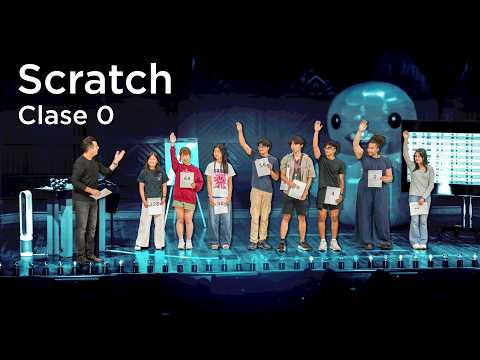 Watch on YouTube →
Overview
David Malan introduces CS50x en Español, emphasizing that the course teaches computational thinking and problem-solving, not just programming languages. He demonstrates how AI tools like OpenAI's API can be integrated into custom programs, and explores fundamental computer science concepts from binary representation (bits, bytes) to character encoding (ASCII, Unicode) and color representation (RGB). The class then dives into Scratch, a visual programming language, to build interactive programs like a chatbot and a simple game, illustrating core programming constructs like functions, conditionals, loops, and variables.
Key takeaways
- Computational thinking involves breaking down problems into inputs, outputs, and algorithms.
- Binary (zeros and ones) is the fundamental language of computers, used to represent numbers, text (ASCII/Unicode), colors (RGB), images, video, and sound.
- Scratch provides a visual, block-based environment to learn core programming concepts like functions, loops, conditionals, and variables.
- Abstraction is key: complex systems (like AI APIs or Scratch blocks) are built upon simpler, reusable components.
- Well-designed algorithms are crucial for efficiency, solving problems not just correctly but also quickly and with minimal resources.
- Creating custom blocks (functions) in Scratch allows for code modularity, reusability, and better abstraction.
Chapters
- CS50 is Harvard's introduction to computer science and the art of programming.
- AI is transforming programming by assisting with problem-solving, debugging, and feature implementation.
- The core goal of CS50 is to teach computational thinking: how to take inputs and produce correct outputs.
- Visual Studio Code (VS Code) is introduced as a popular code editor.
- A Python script (chat.py) is used to interact with the OpenAI API.
- The script demonstrates creating a chatbot that can answer questions, initially hardcoded and then dynamically via user input.
- The chatbot's behavior is controlled using both user prompts and system prompts.
- A system prompt can instruct the AI to limit responses to a single sentence or adopt a specific persona (e.g., a cat).
- This showcases how to guide AI behavior through structured instructions.
- Computer science is the study of information: how to represent and process it.
- Computational thinking applies CS principles to real-world problems.
- All information in computers is ultimately represented by zeros and ones (binary).
- Unary (base 1) is limited, like counting on fingers.
- Decimal (base 10) uses 10 digits (0-9) and is our everyday system.
- Binary (base 2) uses only 0 and 1, representing states like 'off' or 'on' (e.g., light bulbs, transistors).
- A bit is a binary digit (0 or 1).
- 8 bits form a byte, capable of representing 256 different values (0-255).
- Larger numbers require more bits (e.g., 32 bits for ~4 billion, 64 bits for vastly more).
- Computers store letters and symbols by mapping them to integer values.
- ASCII (American Standard Code for Information Interchange) uses 7 or 8 bits to represent characters (e.g., 'A' is 65).
- Unicode is a superset of ASCII, using more bits (up to 32) to represent a vast range of characters, including emojis.
- Colors are represented by combinations of Red, Green, and Blue (RGB) values.
- Each color component typically uses a byte (0-255), totaling 24 bits (3 bytes) per pixel.
- Images are composed of pixels, and file sizes (e.g., MB for JPEGs/GIFs) reflect the data needed for each pixel's color.
- Video is a sequence of images (frames) displayed rapidly (e.g., 30 frames per second).
- Music can be represented by numbers encoding frequency, duration, and amplitude.
- All these complex media types are ultimately built from patterns of zeros and ones.
- Algorithms are step-by-step instructions to solve a problem.
- CS focuses on both representing information and processing it efficiently.
- Different algorithms have varying efficiencies (e.g., linear, logarithmic time complexity).
- Pseudocode uses human language (like English) to describe algorithms step-by-step.
- It helps plan logic before writing actual code.
- Key programming constructs include functions, conditionals (if/else), boolean expressions, and loops (repeat).
- Computers execute low-level machine code (patterns of zeros and ones).
- High-level languages (like C, Python) are more human-readable and abstract away machine code details.
- Compilers translate high-level code into machine code.
- Scratch is a block-based visual programming language developed at MIT.
- It uses drag-and-drop puzzle pieces (blocks) to represent functions, events, and control flow.
- The interface includes a block palette, scripting area, sprites, and a stage (world).
- Event blocks (e.g., 'when green flag clicked') trigger program execution.
- Looks blocks (e.g., 'say') display text, taking arguments (e.g., 'Hello World').
- The 'ask' block prompts user input, storing the response in a variable.
- Operators blocks (e.g., 'join') combine text strings.
- Variables (like 'answer') store values returned by functions (e.g., user input).
- Programs are built by snapping blocks together, with shapes indicating compatibility.
- Sound blocks allow sprites to play sounds (e.g., 'meow').
- Control blocks like 'repeat' and 'wait' manage program execution flow.
- Loops (repeat) execute a block of code multiple times, improving code efficiency and design.
- Users can define their own custom blocks (functions) to encapsulate reusable code.
- These custom blocks can accept arguments (inputs) to modify their behavior (e.g., 'meow N times').
- Abstraction hides implementation details, making code cleaner and easier to manage.
- Conditional blocks ('if') execute code based on boolean expressions (true/false conditions).
- Sensors blocks (e.g., 'touching mouse-pointer') provide input for conditions.
- A 'forever' loop combined with conditionals creates interactive behaviors (e.g., cat meows when touched).
- Sprites can have multiple costumes for animation (e.g., trash can lid opening).
- Random positioning and movement (changing x and y coordinates) create falling objects.
- Variables (e.g., 'score') track game state.
- Code duplication is reduced by creating custom blocks for repeated actions (e.g., 'go to top').
- Sprites can interact with each other (e.g., trash touching the trash can).
- The game 'Oscar Time' involves collecting falling trash while avoiding obstacles.
- Sprites can be programmed to move autonomously (e.g., Yale bouncing off walls).
- Player control (Harvard shield) uses keyboard input to change x and y coordinates.
- Game difficulty can be adjusted by changing movement speed (steps per loop).
- Sprites can be programmed to 'point towards' another sprite's location.
- Moving a sprite a set number of steps towards a target creates a chasing behavior.
- Adjusting step count affects perceived speed and visual smoothness.
- Combines multiple sprites (Harvard shield, Yale, MIT, Princeton) and complex movement.
- Uses keyboard input for player control and autonomous movement for enemies.
- Demonstrates layering of game mechanics and increasing difficulty across levels.
Summary, takeaways, and chapters were generated by AI from the video's transcript and may contain errors. The video belongs to its creator, CS50.