CS50 Fall 2025 - Lecture 1 - C (live, unedited)
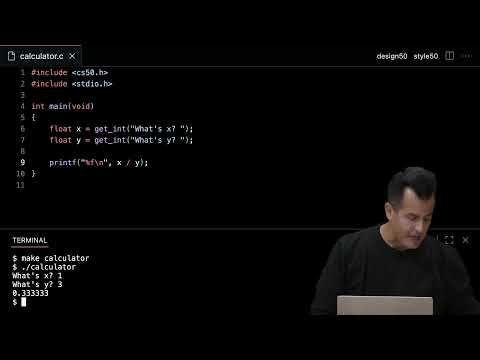 Watch on YouTube →
Overview
CS50's week 1 lecture introduces C programming, contrasting it with Scratch and emphasizing the transition from visual block-based coding to text-based source code. The session covers fundamental C concepts like functions, variables, loops, and conditionals, demonstrating their implementation through practical examples like "hello world," "compare," "agree," "cat," "Mario," and a basic "calculator." Key tools like VS Code, the terminal, and command-line interfaces (CLI) are introduced, alongside essential C commands and the compilation process using `make`.
Key takeaways
- The transition from Scratch to C involves moving from visual blocks to text-based source code, requiring understanding of syntax, variables, loops, and conditionals.
- Compilers translate human-readable source code into machine code, with tools like VS Code and the terminal facilitating this process.
- C programming relies on explicit syntax, including semicolons for statement termination, double quotes for strings, and specific escape sequences like `\n` for newlines.
- Effective C programming involves understanding data types (`int`, `long`, `float`, `char`), control flow (`if`, `while`, `for`), and modularization through custom functions.
- Real-world computing challenges like integer overflow (Y2K, Year 2038) and floating-point precision issues arise from the finite nature of computer memory and data representation.
Chapters
17:46
Transitioning from Scratch to C: Core Concepts
- Scratch's graphical programming provides a mental model for C's fundamental constructs: functions, variables, loops, and conditionals.
- C's syntax appears different and potentially scarier than Scratch, but the underlying ideas remain the same.
- The "fire hose" analogy highlights the intensity of learning computer science, emphasizing progress over time rather than daily feelings.
18:46
Source Code vs. Machine Code: The Role of the Compiler
- Source code is human-readable code written by programmers, while machine code is binary (zeros and ones) understood by computers.
- A compiler translates source code into machine code, acting as a software intermediary.
- CS50 utilizes a cloud-based version of Visual Studio Code (VS Code) for a pre-configured, accessible development environment.
22:15
Understanding the VS Code Interface: GUI and CLI
- VS Code features a graphical user interface (GUI) with code tabs and a terminal window (command-line interface or CLI).
- Syntax highlighting in VS Code visually distinguishes code elements, aiding readability.
- Programmers increasingly rely on keyboard shortcuts and the terminal for efficiency over mouse-based interactions.
25:19
Compiling and Running the First C Program: 'hello.c'
- The `code hello.c` command in VS Code creates a new file named `hello.c`.
- The `make hello` command compiles the source code into an executable program named `hello`.
- Running the program is done via `./hello`, indicating execution from the current directory.
35:16
Deconstructing 'hello.c': Functions, Printf, and Syntax
- The `#include <stdio.h>` directive incorporates the standard input/output library, providing access to functions like `printf`.
- `int main(void)` is the entry point of the C program.
- `printf("Hello, world!\n");` prints the string 'Hello, world!' followed by a newline character (`\n`), ending with a semicolon.
55:05
Understanding C Syntax: Quotes, Newlines, and Semicolons
- Double quotes (`"`) delineate strings that are to be printed.
- The newline escape sequence (`\n`) moves the cursor to the next line.
- Semicolons (`;`) terminate statements in C, and their omission leads to compilation errors.
1:05:29
Handling Compilation Errors: Missing Semicolons and Header Files
- Compilers provide error messages indicating file, line number, and character position of mistakes.
- Missing semicolons result in 'expected semicolon' errors.
- Forgetting `#include <stdio.h>` leads to 'call to undeclared identifier' errors for functions like `printf`.
1:13:34
Leveraging C Libraries and Documentation (CS50.h)
- C uses header files (e.g., `stdio.h`) to provide access to pre-written code libraries.
- CS50 provides its own library (`cs50.h`) with helpful functions like `get_string`, `get_int`, and `get_char`.
- Official documentation (man pages) and CS50's simplified manual (`manual.cs50.io`) are crucial resources for understanding functions and libraries.
1:20:03
Getting User Input with `get_string` and Storing in Variables
- The `get_string` function prompts the user for text input and returns it as a string.
- Variables (e.g., `string answer`) are declared with a type (`string`) and a name, then assigned values using `=`.
- The `get_string` function handles reprompting the user if input is invalid, simplifying error checking for the programmer.
1:32:33
Formatted Output with `printf` and Placeholders (`%s`)
- `printf` can accept multiple arguments: a format string and values to substitute into placeholders.
- The `%s` placeholder is used for strings, `%i` for integers, and `%c` for characters.
- The `get_string` function implicitly uses `printf` to display its prompt.
1:43:45
Essential Linux Commands for File and Directory Management
- Common CLI commands include `ls` (list files), `mkdir` (make directory), `rm` (remove file/directory), `mv` (move/rename), `cp` (copy), and `cd` (change directory).
- The `.` symbol refers to the current directory, and `..` refers to the parent directory.
- Typing `cd` alone returns to the home directory.
1:45:34
Navigating the File System with `cd`, `ls`, `mkdir`, `rm`, `mv`, `cp`
- `mkdir hello` creates a new folder named 'hello'.
- `mv hello.c hello/` moves `hello.c` into the `hello` folder.
- `cd hello` changes the current directory to the 'hello' folder.
2:01:55
Implementing Conditionals: `if`, `else if`, and `else` Statements
- C uses `if (condition)` for conditional execution, with curly braces `{}` enclosing blocks of code.
- The `else if` and `else` keywords allow for multi-way branching based on boolean expressions.
- Equality is checked with `==`, while assignment uses a single `=`.
2:10:41
Understanding C Data Types: `bool`, `char`, `float`, `double`, `int`, `long`
- `bool` variables store `true` or `false`.
- `char` stores single characters (e.g., 'a'), while `string` stores sequences of characters.
- `float` and `double` store numbers with decimal points, with `double` offering higher precision.
- `int` stores whole numbers (typically 32-bit), and `long` stores larger whole numbers (typically 64-bit).
2:16:43
CS50 Library Functions for Input: `get_int`, `get_char`, `get_double`, `get_float`
- CS50's library provides functions like `get_int`, `get_char`, `get_double`, and `get_float` for user input.
- These functions handle basic input validation, reprompting the user if the input type is incorrect.
- The `get_string` function implicitly uses `printf` for prompts, while other `get_` functions require explicit prompts.
2:20:00
Working with Variables: Declaration, Assignment, and Increment/Decrement
- Variables are declared with a type (e.g., `int`) and a name (e.g., `counter`).
- Assignment (`=`) stores a value in a variable.
- Increment (`++`) and decrement (`--`) operators provide shorthand for adding or subtracting 1.
- Shorthand operators like `+=` and `-=` allow for combined assignment and arithmetic operations (e.g., `dollars += 2`).
2:35:04
Implementing Loops: `while` and `for` Constructs
- `while (condition)` loops execute code as long as the condition is true.
- `for (initialization; condition; increment)` loops provide a compact syntax for common iteration patterns.
- Infinite loops (`while (true)`) can be created, requiring `break` to exit.
2:36:44
Controlling Loop Execution: `continue` and `break` Statements
- `continue` skips the rest of the current loop iteration and proceeds to the next.
- `break` immediately exits the loop entirely.
- These are crucial for managing complex loop logic and error handling.
2:37:17
Do-While Loops: Guaranteed Execution and Condition Checking
- A `do { ... } while (condition);` loop executes the code block at least once before checking the condition.
- This is useful when an action must occur regardless of the initial condition, such as prompting for input.
- The condition is checked at the end of the loop, unlike `while` loops where it's checked at the beginning.
2:40:00
Handling User Input Variations: Logical OR (`||`) Operator
- The logical OR operator (`||`) allows combining multiple boolean conditions.
- It's used to accept multiple valid inputs, such as both lowercase ('y') and uppercase ('Y') characters.
- This avoids redundant code and improves user experience by accommodating variations.
2:45:53
Defining Custom Functions: `void` Return Type and Parameters
- Functions are defined using a return type (e.g., `void` for no return value), function name, and parameters in parentheses.
- `void` parameters indicate the function takes no input.
- Functions encapsulate reusable blocks of code, improving modularity and organization.
2:58:21
Function Prototypes: Declaring Functions Before Use
- A function prototype (e.g., `void meow();`) declares a function's signature before its definition.
- This allows functions to be called before they are fully defined later in the code.
- Prototypes act as a promise to the compiler that the function will exist.
3:01:58
Handling Infinite Loops: `Ctrl+C` and Resetting the Environment
- Infinite loops (`while (true)`) can cause programs to run indefinitely, consuming excessive CPU resources.
- Pressing `Ctrl+C` in the terminal is the standard way to interrupt and terminate a runaway process.
- If the environment becomes unresponsive, reloading the VS Code window can resolve issues.
Summary, takeaways, and chapters were generated by AI from the video's transcript and may contain errors. The video belongs to its creator, CS50.