CS50 Business - Lecture 5 - Implementing the Internet (live, unedited)
 Watch on YouTube →
Overview
CS50's lecture on implementing the internet details the evolution of digital communication from telegraphy to modern networking, emphasizing the role of protocols like IP, TCP, DNS, DHCP, and HTTP. It explains how these protocols address challenges such as addressing, routing, reliability, naming, and data transfer, culminating in the architecture of the World Wide Web and the scaling challenges met by cloud computing.
Key takeaways
- The internet's functionality relies on a stack of protocols (IP, TCP, DNS, HTTP) that address specific challenges like addressing, routing, reliability, and naming.
- TCP provides reliability by ensuring ordered packet delivery and retransmitting lost packets, while UDP prioritizes speed for applications like streaming where occasional loss is acceptable.
- NAT and IPv6 are critical solutions to IPv4's address exhaustion, enabling billions of devices to connect to the internet.
- HTTP defines the communication rules for the World Wide Web, with browsers requesting resources and servers responding with status codes and content.
- Cloud computing, leveraging virtualization and containerization, allows for dynamic scaling of resources to meet fluctuating demand, improving cost-efficiency and availability.
- High availability and load balancing are essential for ensuring services remain accessible by eliminating single points of failure and distributing traffic across redundant systems.
Chapters
4:06
Introduction to CS50 Business and Eric Torque
- CS50 Business (CS50B) is a new course launching later this year.
- Eric Torque, a long-time CS50 teaching fellow, discusses internet implementation.
- The lecture will cover the technologies and design decisions behind the internet.
6:39
Evolution of Electronic Communication: Telegraph, Telephone, Radio
- Early communication methods like telegraphy involved wires and human operators for message translation.
- Telephony enabled direct audio communication over wires, but still required human listeners.
- Radio introduced wireless transmission, but messages were still interpreted by human listeners.
7:26
The Internet Paradigm: Computer-to-Computer Communication
- The internet allows computers to intercommunicate directly without human real-time interpretation.
- This intercommunication is governed by protocols, which are conventions for interaction.
- Examples of human protocols include greetings, dining etiquette, and addressing letters.
7:51
Protocols: The Rules of Machine-to-Machine Communication
- Computer protocols are more specific than human protocols due to computers' lower tolerance for ambiguity.
- Key internet protocols include IP, TCP, DNS, DHCP, and HTTP.
- These protocols have evolved to solve problems and improve internet functionality over time.
10:17
Internet Protocol (IP): Addressing and Packet Delivery
- IP is fundamental for addressing and referencing specific machines on the internet.
- IP version 4 uses 32 bits to uniquely identify a computer, theoretically allowing any computer to speak to any other.
- IP handles routing by breaking messages into smaller packets and reassembling them at the destination for reliability.
12:11
IP Packet Headers and Data Structure
- IP packets include headers with fields that provide information for the receiving machine.
- The fixed order and structure of these header fields allow computers to interpret data without human intervention.
- This structured data ensures consistent interpretation across different systems.
12:59
Problems with IP: Packet Ordering and Loss
- IP alone does not guarantee the order of packet delivery, leading to jumbled messages.
- Packets or fragments can be lost entirely during transmission, resulting in incomplete information.
- Examples illustrate how out-of-order or missing packets can render messages nonsensical or critical information lost.
14:50
Transmission Control Protocol (TCP): Ensuring Reliability
- TCP adds a layer to IP to address packet ordering and loss.
- It assigns numbers to packets, allowing reordering at the destination.
- TCP uses acknowledgements for received packets and resends unacknowledged ones, ensuring complete message delivery.
16:36
TCP Port Numbers: Managing Multiple Conversations
- TCP introduces port numbers to differentiate and manage multiple simultaneous communication streams on a single machine.
- Common ports include 80 and 443 for HTTP/HTTPS (web traffic) and 25/587 for email.
- Port numbers direct incoming data to the correct application or service.
17:11
TCP Header and Error Checking
- TCP headers contain fields for port numbers, options, and error checking mechanisms like checksums.
- Checksums help detect if data has been damaged during transmission.
- These headers are included in every packet, ensuring reliable and error-checked communication.
18:23
ARPANET and the Foundation of the Internet
- IP and TCP protocols formed the basis of ARPANET, the precursor to the modern internet.
- ARPANET began as a small network connecting a few university campuses in the late 1960s.
- Early networks lacked features like video streaming, focusing on basic data transfer.
20:07
Routing: Navigating the Network
- Routing is essential for sending data across long distances and multiple networks.
- Computers do not need to know the entire path; routers forward packets based on destination addresses.
- This dynamic routing allows data to find alternative paths if parts of the network fail.
22:05
Routers and the Postal Service Analogy
- Routers direct packets by determining responsibility for specific networks and forwarding to gateways (other routers).
- The process is analogous to the postal service, where letters move through sorting stations and distribution facilities.
- Routers progressively narrow down the path until the packet reaches its destination network.
24:25
Domain Name System (DNS): Translating Names to Addresses
- DNS solves the problem of remembering and managing IP addresses for an increasing number of internet-connected computers.
- It acts as a distributed phonebook, translating human-readable domain names (e.g., google.com) into IP addresses.
- IANA (Internet Corporation for Assigned Names and Numbers) oversees domain name assignment.
26:29
DNS Hierarchy and Resolution
- DNS is a hierarchical system; if a DNS server doesn't know an address, it queries higher-level servers or authoritative servers for the domain.
- DNS servers cache responses to speed up future lookups.
- This decentralized system ensures that information is available globally.
28:23
Dynamic Host Configuration Protocol (DHCP): Assigning IP Addresses
- DHCP automates the assignment of IP addresses to devices connecting to a network.
- It manages a pool of available IP addresses, assigning leases to clients and reclaiming them when expired or devices disconnect.
- This prevents IP address conflicts and simplifies network administration.
31:06
User Datagram Protocol (UDP) vs. TCP
- UDP offers a simpler, faster alternative to TCP by omitting reliability guarantees like acknowledgements and ordered delivery.
- It's suitable for applications like streaming audio/video or online gaming where occasional packet loss is acceptable.
- UDP prioritizes speed and low overhead over guaranteed delivery, unlike TCP's focus on reliability.
38:29
IP Address Exhaustion and IPv4 Limitations
- IPv4's 32-bit address space (approx. 4.3 billion addresses) is insufficient for the growing number of internet-connected devices.
- The proliferation of PCs, smartphones, tablets, and IoT devices has led to address scarcity.
- This 'IP address exhaustion' necessitates solutions to manage available addresses.
40:20
Network Address Translation (NAT)
- NAT allows multiple devices on a private network to share a single public IP address.
- Private IP address ranges (e.g., 192.168.x.x) are used internally and are not publicly routable.
- Routers performing NAT rewrite the source IP address of outgoing packets and the destination IP of incoming packets.
45:00
IPv6: The Next Generation of IP Addressing
- IPv6 uses 128-bit addresses, providing a vastly larger address space (effectively inexhaustible).
- Addresses are represented in hexadecimal (base 16) and can include letters.
- While adoption is ongoing, IPv6 is the long-term solution to IP address exhaustion.
48:25
Hypertext Transfer Protocol (HTTP): The Web's Foundation
- HTTP defines the rules for transferring web pages and data between clients (browsers) and servers.
- It's distinct from the internet itself, forming the basis of the World Wide Web.
- Browsers send HTTP requests (e.g., GET) and receive HTTP responses from web servers.
50:25
HTTP Request Structure
- An HTTP request includes a method (e.g., GET), a path (e.g., '/'), and the protocol version (e.g., HTTP/2).
- Headers provide additional information, such as the 'Host' (e.g., nytimes.com).
- The request is sent over the internet using underlying protocols like DNS, TCP/IP, and routing.
54:06
HTTP Response Structure and Status Codes
- An HTTP response includes the protocol version, a status code (e.g., 200 OK, 404 Not Found), headers, and the requested content.
- Content-Type header (e.g., 'text/html') informs the browser about the data format.
- Status codes communicate the outcome of the request (success, error, redirection).
59:07
Rendering Web Content and Linked Resources
- Browsers render HTTP responses into human-readable web pages, interpreting HTML, CSS, and JavaScript.
- Web pages often reference additional resources (images, scripts, stylesheets), each requiring separate HTTP requests.
- This process can create a loop of requests and responses to load a complete webpage.
1:02:08
HTTP/2 and HTTP/3: Improving Performance
- Older HTTP/1.1 required individual requests for each resource, leading to latency.
- HTTP/2 and HTTP/3 introduce features like multiplexing (sending multiple files in one request) to reduce overhead.
- Adoption of newer HTTP versions is gradual, requiring browser and server compatibility.
1:02:26
URL Components: Scheme, Subdomain, Domain, Path
- A URL consists of a scheme (protocol, e.g., HTTPS), subdomain (e.g., www), domain (e.g., nytimes.com), and path (e.g., /news/article).
- HTTPS is the secure, encrypted version of HTTP.
- Top-level domains (TLDs) like .com, .org, and country codes (.uk) categorize domains.
1:08:26
Scaling Internet Operations: Processing Power and Storage Constraints
- Internet progress is constrained by available processing power and data storage.
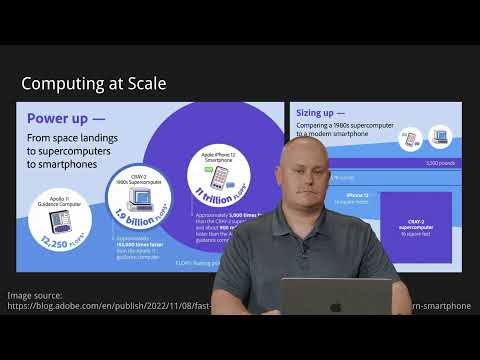
- Computing power has increased dramatically: Apollo 11's computer (12,250 FLOPS) vs. iPhone 12 (11 trillion FLOPS).
- This exponential growth enables more complex internet services.
1:09:49
Scaling Challenge: Power Outage Map Example
- A power utility's website experiences low traffic normally but massive spikes during natural disasters.
- Millions of users simultaneously refreshing the outage map overwhelm typical server capacity.
- This necessitates scalable infrastructure to handle unpredictable, high-demand events.
1:10:29
Scaling Strategies: Vertical vs. Horizontal
- Vertical scaling increases a single machine's power (CPU, RAM, storage).
- Horizontal scaling adds more machines to distribute the load.
- Both have limitations: vertical scaling faces physical limits and diminishing returns; horizontal scaling increases management complexity.
1:14:25
Collocation: Outsourcing Data Center Infrastructure
- Collocation involves renting space and infrastructure (power, cooling, internet) from a data center provider.
- It offloads the burden of managing physical hardware and facility overhead.
- While reducing direct management, costs can still be high for consistently high resource usage.
1:19:01
Cloud Computing: Virtualization and Containerization
- Cloud computing uses virtualization and containerization to simulate computer resources on demand.
- Virtualization creates virtual machines with their own operating systems using a hypervisor.
- Containerization (e.g., Docker) isolates applications without replicating the OS, offering lighter-weight scaling.
1:20:23
Scalable Cloud Resource Management
- Cloud platforms allow users to spin up or shut down virtual resources as needed, paying only for usage.
- This enables dynamic scaling to meet demand spikes (e.g., during power outages) and scaling down to save costs.
- Virtualization and containerization facilitate rapid resource provisioning and de-provisioning.
1:22:23
High Availability and Load Balancing
- High availability aims to eliminate single points of failure by having redundant systems (e.g., at least two of everything).
- Load balancing distributes incoming requests across multiple machines to prevent overload.
- Redundant systems and load balancing ensure continuous service availability, even if individual components fail.
1:25:07
Simulating Networks and Regional Redundancy
- Cloud computing allows for the simulation of entire networks, including redundancy at regional levels.
- If one data center fails (e.g., due to a natural disaster), traffic can be automatically shifted to another data center globally.
- This virtualization provides robust fault tolerance and ensures service continuity.
1:26:26
Conclusion: From Packets to Global Networks
- The internet's implementation has evolved from simple packet transfer between computers to complex, globally redundant systems.
- Protocols like IP, TCP, HTTP, and cloud computing concepts are foundational to modern internet services.
- The journey highlights continuous innovation to solve scalability, reliability, and efficiency challenges.
Summary, takeaways, and chapters were generated by AI from the video's transcript and may contain errors. The video belongs to its creator, CS50.