CS50 2D - Lecture 6 - Angry Birds (live, unedited)
 Watch on YouTube →
Overview
CS50's Lecture 6 introduces Box2D, a 2D rigid body physics simulation library integrated with Love2D, to recreate the core mechanics of Angry Birds. David Malan and Colton Ogden demonstrate Box2D's concepts including worlds, bodies (static, dynamic, kinematic), fixtures, shapes, and joints, showcasing how to implement physics-based interactions, collision detection via callbacks, and user input for launching projectiles. The lecture culminates in a functional Angry Birds clone, highlighting the use of user data for object differentiation and the implementation of a predicted trajectory.
Key takeaways
- Box2D simplifies complex 2D physics simulation in games by handling bodies, fixtures, shapes, and joints, allowing developers to focus on gameplay mechanics.
- Collision detection in Box2D is managed through callbacks (`begin contact`, `end contact`, etc.), enabling custom responses based on object types and velocities.
- User data attached to fixtures is crucial for differentiating game objects (e.g., player, enemy, obstacle) and triggering specific behaviors during collisions.
- Kinematic bodies are essential for creating non-gravity-affected moving elements like platforms or rotating obstacles that still interact with dynamic objects.
- Joints in Box2D allow the creation of compound objects and complex mechanical systems, expanding possibilities beyond simple rigid body interactions.
- The Angry Birds implementation demonstrates how to combine Box2D's physics with user input, visual trajectory prediction, and collision-based destruction for engaging gameplay.
Chapters
0:00
Introduction to Mobile Games and CS50's Third Lecture
- David Malan and Colton Ogden host the third live stream lecture.
- Discussion of popular mobile games like Candy Crush, Cut the Rope, and Fruit Ninja.
- Introduction to the lecture's focus on modern mobile-oriented games.
8:05
Angry Birds: Game Mechanics and Physics Simulation
- Overview of Angry Birds gameplay: launching birds to destroy pigs and forts.
- Obstacles made of wood, glass, ice, and metal with varying destructibility.
- Scoring system based on stars awarded for performance.
- Introduction to Box2D as a physics library for Love2D.
10:08
Box2D: A Physics Library for Physical Interactions
- Box2D is a separate library for modeling physical interactions, embeddable in various frameworks.
- Love2D exposes Box2D through wrapper functions.
- Key Box2D components: bodies, fixtures, shapes, and joints.
10:45
Implementing an Angry Birds-like Game with Box2D
- Goal: approximate Angry Birds using a simplistic version with alien characters.
- Utilizing Kenny's open-source tile set for alien sprites.
- Circular alien character and square-based enemy obstacles.
- Obstacles break upon collision, exposing the enemy for defeat.
12:03
Live Demo: Angry Birds Implementation
- Demonstration of the Angry Birds-like game implementation.
- Player can drag and release the bird/alien to launch it.
- Collisions between the bird and obstacles cause destruction.
- Game restarts after a level is completed or failed.
17:46
Box2D's Role in Simplifying Physics Calculations
- Box2D handles complex physics calculations, reducing manual implementation.
- Focus shifts from low-level math to interesting physical behaviors.
- Comparison to previous AABB collision detection methods.
18:23
Sprite Sheet Assets for Game Elements
- Review of the sprite sheet containing ground tiles, alien characters (circular and square), and obstacle variations.
- Different obstacle materials (wood, glass, ice, metal) will have varying durability.
- Problem set will involve implementing different damage values for materials.
19:54
Box2D Resources and Core Concepts: The World
- Helpful links for Box2D: Love2D documentation and iForce2D.net blog.
- Box2D simulates rigid body physics.
- The 'world' is the container for all bodies and handles physics simulation.
- The world updates periodically with a delta time (DT) and manages collision detection.
21:47
Creating a Box2D World with Gravity
- Function to create a new world: `love.physics.newWorld(gravityX, gravityY, ...)`.
- Gravity is defined by X and Y components; top-down games might omit gravity.
- Example: Mario's gravity, Flappy Bird's upward/downward movement influenced by gravity.
22:20
Box2D Bodies: The Foundation of Physical Objects
- Bodies are abstract containers for fixtures and shapes.
- They receive physics calculations and apply basic mechanics.
- Bodies are the 'nucleus' for interacting objects in the world.
24:08
Box2D Body Types: Static, Dynamic, and Kinematic
- Static bodies: fixed position, not affected by physics or other objects.
- Dynamic bodies: move, bounce, and are affected by forces and gravity.
- Kinematic bodies: can move and influence others but are not affected by gravity or collisions.
25:53
Box2D Fixtures: Attaching Shapes and Properties
- Fixtures attach shapes to bodies, defining properties like friction and restitution.
- They provide the 'form' for bodies, enabling collisions.
- Shapes can be circles, rectangles, polygons, or edge shapes.
27:11
Implementing a Static Body in Box2D
- Example of a static body: a white square rendered in the center of the screen.
- Code uses `love.physics.newWorld` with specific gravity settings.
- `love.physics.newBody` creates the body with type 'static'.
- A rectangle shape and fixture are applied to the body.
30:08
Implementing a Dynamic Body in Box2D
- Dynamic bodies are created by passing 'dynamic' as the body type.
- They are affected by gravity and other physics forces.
- The code is similar to the static example, with the type parameter changed.
32:21
Implementing a Kinematic Body and Combined Example
- Kinematic bodies are used for objects like moving platforms that influence others but aren't affected by gravity.
- Example demonstrates a green dynamic ball falling onto rotating blue kinematic rectangles and a red static ground.
- Illustrates interaction between static, dynamic, and kinematic bodies.
40:04
Box2D 'Ball Pit' Example: Emergent Behavior
- Demonstration of a 'ball pit' with numerous dynamic circular bodies.
- Shows emergent, fluid-like movements from physics calculations.
- Highlights the power of a robust physics system for complex interactions.
45:08
Collision Detection and Callbacks in Box2D
- Box2D uses callbacks for collision events: begin contact, end contact, pre-solve, post-solve.
- `world:setCallbacks` registers these functions.
- Begin contact callback is used to detect when two objects start colliding.
50:01
Implementing Angry Birds: Player and Enemy Differentiation
- User data is set on fixtures to differentiate object types (player, alien, obstacle).
- Alien class handles creation of circular or square bodies based on type.
- Player is a circle, enemy aliens are squares.
- `setUserData` and `getUserData` are crucial for collision logic.
58:19
Rendering Sprites and Bodies in Box2D
- Rendering sprites requires drawing quads and applying rotation based on body angle.
- `body:getAngle()` retrieves the current rotation.
- Offsets must be set to the center of the sprite for correct rotation.
- `body:getX()` and `body:getY()` retrieve the body's world position.
1:02:03
Collision Resolution and Object Destruction
- Begin contact callback checks user data of colliding fixtures.
- Player-obstacle collision triggers destruction if player velocity exceeds a threshold.
- Objects are added to a `destroyedBodies` table for removal after callbacks.
- Collision logic handles player-obstacle, obstacle-alien, and player-alien interactions.
1:06:49
Simulating Trajectories and Launching Projectiles
- A non-physics 'launch marker' tracks mouse position for aiming.
- Trajectory is predicted by simulating gravity's effect over 90 frames.
- When the mouse is released, an impulse or linear velocity is applied to the alien body.
- Restitution (bounciness) and angular damping are configurable properties.
1:18:53
Obstacle Implementation and Material Properties
- Obstacles are created as rectangle shapes with user data set to 'obstacle'.
- Sprite sheets include variations for wood, glass, metal, and stone materials.
- Problem set requires implementing different hit counts for materials to break.
- Cracked sprites represent partial destruction.
1:25:30
Box2D Joints: Creating Compound Objects
- Joints connect bodies to create more complex structures like cars or contraptions.
- Types include weld, pulley, revolute, and rope joints.
- Example: Weld joint fuses two bodies into one, which can be broken.
- Pulley joint simulates a rope system with weighted objects.
1:35:34
Pendulum and Rope Joints
- Revolute joint creates a pendulum effect, keeping an object at a fixed radius from an anchor.
- Rope joint simulates a tetherball-like effect, allowing variable distance within a maximum length.
- These joints are implemented using specific parameters for anchor points and bodies.
1:40:00
Problem Set Requirements and Next Lecture Preview
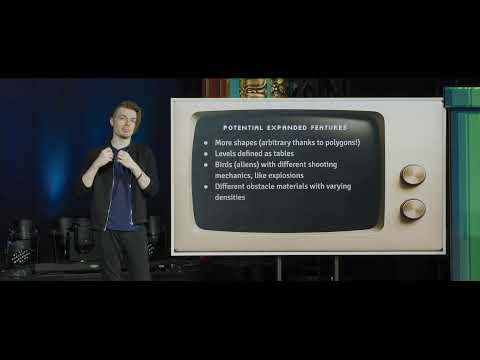
- Problem set requires implementing joints, multiple birds, and varied material durability.
- Spawning three birds upon spacebar press, with angled trajectories.
- Implementing glass (1 hit), wood (2 hits), metal (3 hits) with crack visuals.
- Next lecture covers Pokémon, focusing on grid-based movement, state machines, state stacks, and GUI elements.
Summary, takeaways, and chapters were generated by AI from the video's transcript and may contain errors. The video belongs to its creator, CS50.