CS50 2D - Lecture 1 - Flappy Bird (live, unedited)
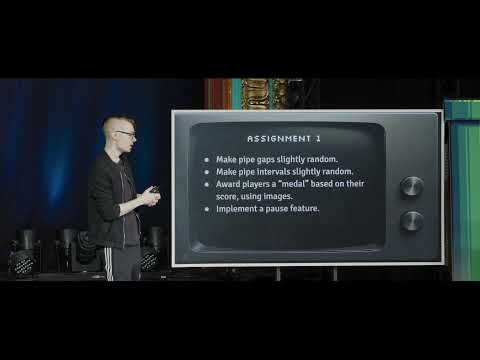 Watch on YouTube →
Overview
CS50's Flappy Bird lecture (CS50 2D, Lecture 1) introduces 2D game development concepts using Lua and the LÖVE 2D framework. David J. Malan and Colton Ogden demonstrate building Flappy Bird from scratch, covering sprites, scrolling, parallax effects, gravity, input handling (keyboard/mouse), state machines, collision detection (AABB), scoring, and sound. The lecture emphasizes code organization through object-oriented programming and state management, transitioning from basic shapes to a fully functional game.
Key takeaways
- Flappy Bird's core gameplay loop is built using sprites, scrolling, gravity simulation, and input handling within a state machine architecture.
- Lua's object-oriented features (colon syntax, `_includes` for inheritance) and LÖVE 2D framework enable structured game development.
- State machines are crucial for managing complex game flow, allowing modularity and clean transitions between different game phases (title, play, score).
- Parallax scrolling is achieved by rendering background elements at different speeds to simulate depth, enhancing visual immersion.
- Collision detection using Axis-Aligned Bounding Boxes (AABB) is fundamental for interactive gameplay, with minor offsets improving perceived fairness.
- Sound effects and music significantly enhance player experience, with LÖVE 2D providing functions for playback and looping.
Chapters
22:23
Introduction to CS50 2D and Flappy Bird
- CS50 2D is a new version of CS50G focused entirely on 2D game development.
- This lecture will build Flappy Bird, a more modern game compared to last week's Pong.
- The lecture will be live, unedited, and later appear on EdX.
27:15
Flappy Bird: Game Mechanics and Concepts
- Flappy Bird (circa 2013) features a bird navigating through scrolling pipes.
- Key concepts include sprites (movable 2D artwork), scrolling backgrounds, parallax effects, and procedural generation (for pipe placement).
- State machines will be used to manage game states like title, play, and score.
30:23
Demoing Flappy Bird Gameplay
- A volunteer demonstrates the game's difficulty, highlighting the core mechanics of jumping with the spacebar to avoid pipes.
- The game shows a score, and upon losing, displays the score and allows restarting with Enter.
- The difficulty is noted as high, with potential for minor adjustments to make it more playable.
32:00
Transitioning from Pong to Flappy Bird Graphics
- Flappy Bird introduces more complex graphics than Pong's basic shapes, including bird, pipe, background, and ground sprites.
- Sound effects from Pong are present, now augmented with a music track for immersion.
- State transitions, seen in Pong, are also applied here to different effects.
34:28
Loading and Drawing Images with LÖVE 2D
- Introduces `love.graphics.newImage(path)` to load image files (PNG, GIF, JPEG).
- Loaded images are stored in memory and drawn using `love.graphics.draw(image, x, y)`.
- The `love.graphics.rectangle` function from Pong is contrasted with image loading.
35:07
Setting up Initial Graphics: Background and Ground
- The `main.lua` file defines screen width and virtual resolution.
- `love.graphics.newImage` loads `background.png` and `ground.png` into global variables.
- `love.graphics.draw` is used to render the background at (0,0) and the ground at the bottom of the screen.
38:06
Implementing Parallax Scrolling for Depth Illusion
- Parallax is an illusion simulating distance by moving background elements at different speeds.
- Real-world examples include fences and mountains appearing to move at different rates when driving.
- This technique creates a sense of depth without complex 3D rendering.
40:00
Creating Infinite Scrolling Backgrounds with Looping Textures
- Achieved by using a texture that seamlessly loops.
- When the texture scrolls to a 'loop point', its position is reset to zero.
- This creates the illusion of an infinitely long, scrolling world.
41:57
Implementing Scrolling with Modulo Operator
- Background and ground scroll speeds are multiplied by delta time (`dt`) and added to their current positions.
- The modulo operator (`%`) is used with the looping point (e.g., 413 pixels for background) to reset the position.
- This ensures the texture continuously scrolls without visible seams.
42:25
Parallax Effect: Background Moves Slower than Ground
- The background (mountains) scrolls at a slower rate (e.g., half the speed) than the ground.
- Slower movement implies greater distance, creating a perceived depth.
- Scroll speeds can be adjusted to fine-tune the parallax effect.
46:53
Introducing the Bird Sprite and Object-Oriented Design
- A `bird.png` image is loaded using `love.graphics.newImage`.
- A `Bird` class is created to encapsulate bird-related data and behavior.
- The bird's dimensions are dynamically fetched using `image:getWidth()` and `image:getHeight()`.
50:02
Centering the Bird Sprite on Screen
- The bird's `x` and `y` position are calculated to center it on the virtual screen.
- This involves subtracting half the bird's width and height from the screen's center coordinates.
- The `Bird:render()` method draws the bird using `love.graphics.draw(self.image, self.x, self.y)`.
51:55
Understanding Lua's Colon Syntax for Methods
- The colon (`:`) syntax in Lua implies passing `self` (the object instance) as the first argument.
- This is used for object-oriented programming, allowing methods like `Bird:render()` to access object properties.
- It's syntactic sugar for `Bird.render(self, ...)`.
54:23
Implementing Gravity: Bird Falling Simulation
- Gravity is modeled as a constant acceleration (`GRAVITY = 980`) that increases the bird's `dy` (vertical velocity).
- The `Bird:update(dt)` function adds `gravity * dt` to `dy`.
- The bird's `y` position is then updated by adding `dy * dt`, causing it to fall.
- Without collision, the bird falls through the ground.
56:12
Introducing Anti-Gravity: The Jump Mechanic
- A jump is simulated by instantly setting `dy` to a large negative value (e.g., -300).
- Gravity then immediately starts pulling the bird back down, creating a jump arc.
- Tweaking gravity and jump velocity balances the game's difficulty.
56:57
Handling Single Key Presses with Custom Callbacks
- Lua's `love.keyboard.isDown` checks continuous key state; `love.keypressed` is needed for single presses.
- A custom `love.keyboard.keysPressed` table is created in `love.load` to track keys pressed per frame.
- A helper function `love.keyboard.pressed(key)` checks this table, allowing single-press detection anywhere.
1:14:21
Generating Infinite Pipes with a Timer and Table
- A `spawnTimer` accumulates `dt` to track time elapsed.
- When `spawnTimer` exceeds a threshold (e.g., 2 seconds), a new pipe is created and inserted into the `pipes` table.
- Pipes are removed from the table when they move off-screen (`pipe.x < -pipe.width`) to manage memory.
1:19:31
Pipe Class and Scrolling Logic
- The `Pipe` class stores its image, scroll speed (`PIPE_SCROLL_SPEED = -60`), and `x`/`y` position.
- Pipes are initialized off-screen (`x = virtualWidth`).
- The `Pipe:update(dt)` function moves the pipe leftward by `pipeScrollSpeed * dt`.
1:30:46
Implementing Pipe Pairs for Flappy Bird Obstacles
- A `PipePair` class manages two pipes (top and bottom) with a configurable gap.
- Pipe pairs are spawned with a `y` value determined by the `lastY` to ensure smooth vertical transitions.
- The `PipePair:update` method updates both internal pipes and handles removal when off-screen.
2:02:04
Implementing Axis-Aligned Bounding Box (AABB) Collision Detection
- The `Bird:collides(pipe)` function checks for overlap between the bird's and a pipe's bounding boxes.
- It checks for gaps on all four sides: no gap means collision.
- A slight inward offset (e.g., 2 pixels) is applied to the bird's collision box for fairer gameplay.
2:06:26
State Machines for Game Flow Management
- State machines provide a structured way to manage different game phases (title, play, score, countdown).
- Each state is an object with `init`, `enter`, `exit`, `update`, and `render` methods.
- The `StateMachine` class manages transitions between states, ensuring clean state changes and data passing via `enterParams`.
2:14:33
Adding a Countdown State for Smoother Transitions
- A `CountdownState` is introduced between Title and Play states.
- It uses a timer to display '3', '2', '1' before transitioning to the Play state.
- This improves user experience by providing a brief preparation period.
2:15:37
Integrating Sound Effects and Music
- Sound effects (jump, explosion, hurt, score) and background music are loaded into a global `gSounds` table.
- `love.audio.play(sound)` plays sound effects.
- `love.audio.play(music, true)` plays music, with `true` enabling looping.
- Sounds are triggered based on game events like jumping, collisions, and scoring.
2:20:25
Emulating Mobile Touch Input with Mouse Clicks
- The `love.mouse.pressed(button)` callback is used to detect mouse clicks.
- This mimics touch input on mobile devices, allowing clicks to trigger jumps.
- A custom `love.mouse.buttonsPressed` table is used for single-click detection, similar to keyboard input.
2:21:57
Refactoring and Project Organization
- The project structure evolves with separate folders for states (`states/`) and assets (images, sounds).
- This organization makes the codebase more manageable as complexity increases.
- Sprite sheets will be introduced in the next lecture (Breakout) to consolidate image assets.
Summary, takeaways, and chapters were generated by AI from the video's transcript and may contain errors. The video belongs to its creator, CS50.