CS 238 Week 3 Lecture
 Watch on YouTube →
Overview
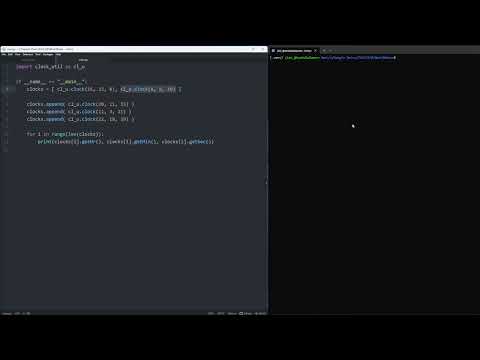
James Andro-Vasko demonstrates how to place a Python `Clock` class in `clock_util.py` and reuse it from separate main programs, comparing module imports, aliases, and selective imports. He then shows how lists and dictionaries can store `Clock` objects, iterate over them, and invoke methods such as getters and setters through each retrieved object.
Key takeaways
- A Python module named `clock_util.py` is imported using `clock_util` without the `.py` extension; its class is then available as `clock_util.Clock`.
- Importing a module with an alias, such as `import clock_util as clu`, keeps references concise while retaining the module namespace.
- Selective imports such as `from clock_util import Clock` remove the module prefix, while wildcard imports risk collisions with names already defined in the importing file.
- Lists and dictionaries can store references to custom `Clock` objects, allowing each retrieved element to use class methods such as getters and setters.
- A list of clocks can be traversed with either indexed access (`clocks[i]`) or direct iteration (`for c in clocks`); dictionary entries are retrieved by keys instead.
- Python dictionary values can be traversed with `.values()`, keys with `.keys()`, and entries are iterated in insertion order.
Chapters
0:00
Importing the Clock Class from clock_util.py
- Keep `clock_util.py` and `main.py` in the same directory for a straightforward custom-module import.
- With `import clock_util`, access the class as `clock_util.Clock` and construct an object with values such as 20, 45, and 16.
- Separating the class into a module lets multiple Python programs reuse it instead of duplicating the class code.
5:30
Module Aliases, Selective Imports, and Naming Conflicts
- Use `import clock_util as clu` to shorten repeated references, such as `clu.Clock`.
- Use `from clock_util import Clock` to refer to `Clock` directly without the module prefix.
- Wildcard imports can bring every module attribute into the current file, but may overwrite existing names and create conflicts.
9:50
Storing and Iterating Through Clock Objects in Lists
- Initialize a `clocks` list with `Clock` instances or start with an empty list and add objects using `append()`.
- A numeric loop can access each object with `clocks[i]`; a direct loop such as `for c in clocks` visits each clock in turn.
- List elements are `Clock` objects, so calls such as `get_hr()`, `get_min()`, and `get_seconds()` retrieve their fields.
- Use an indexed object to update it, for example `clocks[2].set_min(56)`.
15:14
Mapping Clock Objects to Dictionary Keys
- The `clocks` dictionary maps string keys such as `grandfather`, `digital`, and `iPhone` to `Clock` objects.
- Retrieve an object with `clocks['digital']`, then call its methods; for example, `clocks['digital'].set_hr(16)` updates its hour.
- Iterate over `clocks.values()` to process clock objects or over `clocks.keys()` to process their labels.
- Python dictionaries preserve insertion order when iterating, and dictionary values can be custom objects rather than primitive types.
Summary, takeaways, and chapters were generated by AI from the video's transcript and may contain errors. The video belongs to its creator, James Andro-Vasko.